The best mobile games for Android and iOS

This is the gaming hub at NextPit, where we showcase the best games for Android and iOS in 2021. In this article, we have listed the best mobile games across various genres. The list includes both free and paid mobile games. Without further ado, let us delve right in.
NextPit's gaming central
Jump To
- Best free game
- Best offline game
- Best graphics on a mobile game
- Best strategy game
- Best tower defense game
- Emulators
- Best adventure game
- First-person shooter
- Best multiplayer game
- Best RPG / Role-playing game
- Best tablet game
Best free mobile game: Clash Royale
Looking for a game for mobile or tablet and don't want to spend money on it? Download one of the most popular free games for Android or iOS, Clash Royale:
The gameplay is a mix of MOBA, collectible card, and tower defense. You participate in one-on-one fights with other players around the world. Even though the game itself is free, you do have to live with prompts for in-app purchases. But hey, that is something most of us have learned to live with!
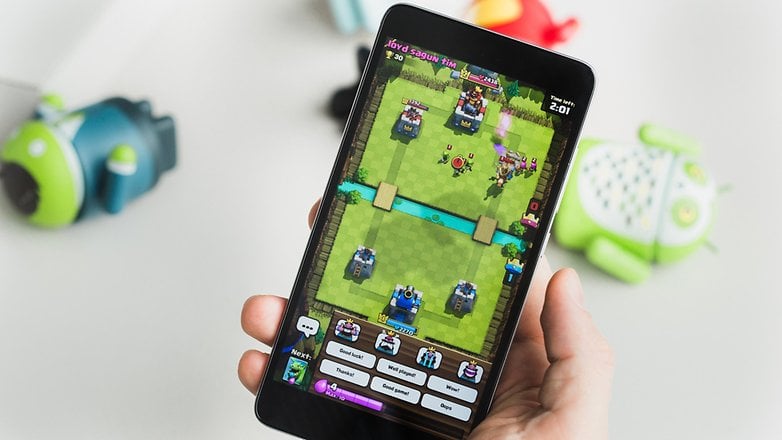
And if you ignore this bit, we believe you can still enjoy Clash Royale very well for free.
In case you are looking for other free games, check our list of the best free games for Android and iOS smartphones.
Best offline game: Mini Metro
The first title in our list - Clash Royale - requires you have an active Internet connection for you to be able to play. But what if you're going to take the subway or happen to be in a plane, stuck with no internet? That's where our pick for the best offline game comes in. Ou choice - Mini Metro happens to be an elaborate strategy game that works completely offline.
- Mini Metro for Android ($0.99)
- Mini Metro for Apple iOS ($3.99)
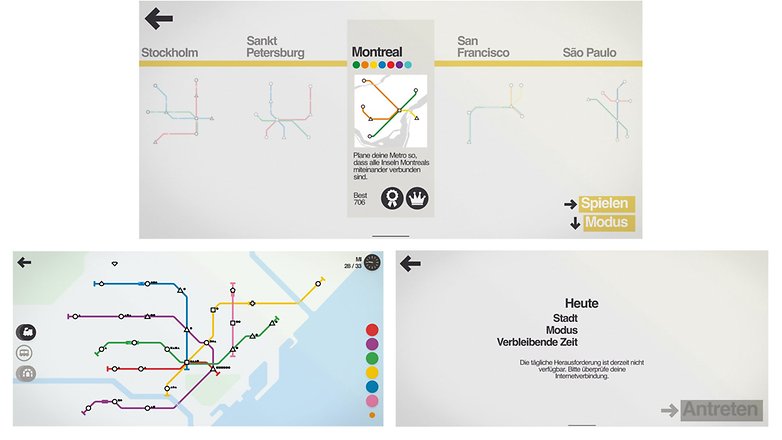
In Mini Metro, you have to imagine, build and manage subway routes. You keep an eye on the most important stations and try to transport as many passengers as possible. Although the "Normal" mode works without an Internet connection, you can, if you wish, compete with other players in the "Daily" mode when you do have connectivity.
If you did not particularly like our selection, check out our dedicated article on the best offline games for Android and iOS smartphones.
Best graphics on a mobile game: Genshin Impact
Do you own a powerful, high-end next-generation smartphone and wish to make the most of its graphics capabilities? If you said yes, we recommend you install Genshin Impact - an RPG that resembles Zelda: Breath of The Wild.
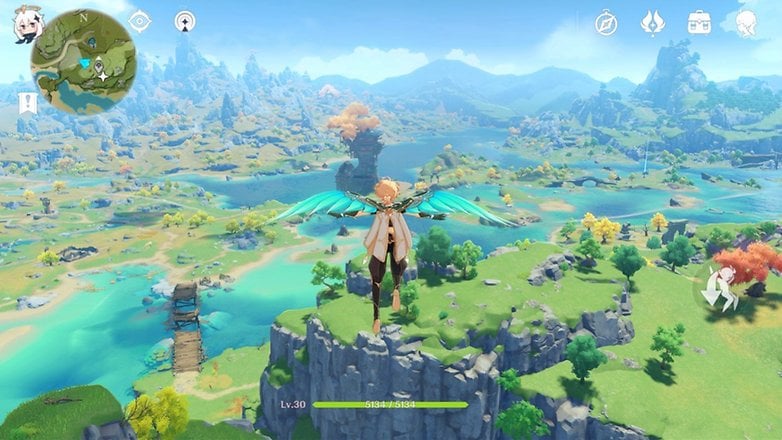
Fans of elaborate graphics can hike across vast plains, climb mountains, walk along beaches, or discover cities in Genshin Impact. The graphics are not intended to be photorealistic, but they convince with a beautiful style. The game isn't for you, however, in case you are not a fan of anime.
Looking for more games that have awesome graphics, check out our dedicated article on games with the best graphics.
Best Strategy Game: Pocket City
Among strategy games, there is one style that somehow works well across all platforms: development and management games for cities. As this sub-sub-genre is quite popular, Pocket City is pick as the best strategy game for smartphones.
Strategy games need to stimulate your brain, and you should act smart from the start. And this is possible with Pocket City, along with nice graphics and good depth of play. Unfortunately, on iOS, you have to pay $2.99 for the game while it is free for Android users - albeit with ads.
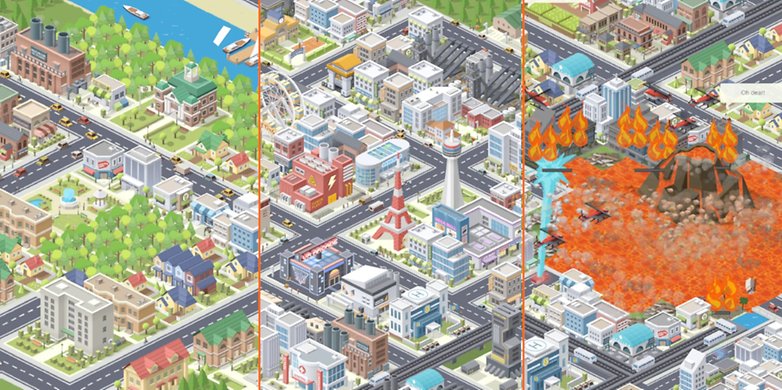
If city-building games aren't your thing, we've selected other strategy games for you in this list.
Best Tower Defense game: Plants vs. zombies 2
The tower defense category is perfect for touchscreens! You have to act quickly and defend your towers by placing units or defense mechanisms. A true classic is the game Plants vs. Zombies, and their successor is our pick for this genre.
In this game, instead of towers, however, you must protect the garden's plants, and instead of warriors, you face the undead. The game mechanics of Plants vs. Zombies is legendary, and its humor has entered pop culture. Another advantage: Plants vs. Zombies 2 is completely free on both Apple iOS and Android.
Emulators for smartphones
If you're an 80s or 90s kid, chances are high you might have spent a lot of your childhood playing them good ol' classic games. While the world may have moved on to games with hyper-realistic graphics, there is no denying the charm that these old games with 8-but or 16-bit graphics have.
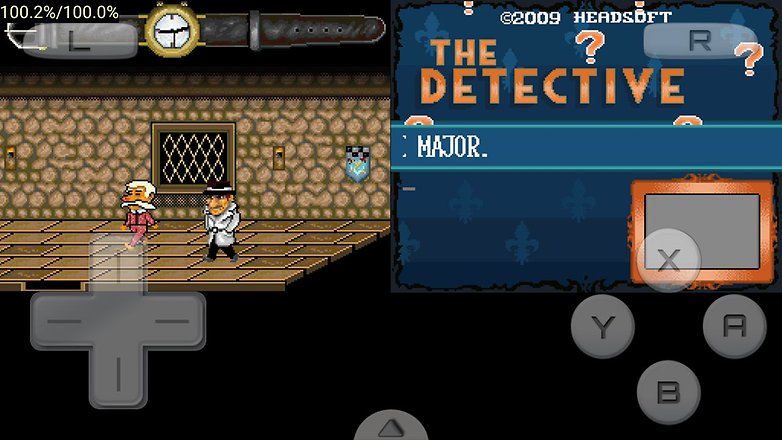
Thanks to emulators, you can relive your childhood memories even on your smartphone. We do not have a specific pick for emulators, as setting them up isn't really a straightforward process. What you can do, however, is to check our list of the best Android emulators.
Best adventure game: There is no game
Don't read it wrong. The name "There is no game" is an actual game that you can download and install on your Android and iOS smartphones. In fact, it was good enough to make it to our list as our pick for the best adventure game. Do note, however, that you will need to pay to download this one. This one is a Point&Click comedy adventure that is definitely worth a try.
- There is No Game for Android ($4.99)
- There is No Game for Apple iOS ($4.99)
Did not like our pick for adventure games? Well, it's time you take a look at our dedicated article that lists the best adventure games.
First Person Shooter: Call of Duty: Mobile
Looking for action and adrenaline? How about a first-person shooter for Android or iOS that has excellent graphics (that some say even rivals the graphics on its PC/Console version). CoD: Mobile combines exciting online battles with great graphics and tons of rewards for the winners. The game is completely free, even if the best skins are paid. By the way, our Antoine is really good at Call of Duty: Mobile - can you beat him?
Of course, there are other first-person shooters for both smartphone operating systems. Just check out our list of the best FPS games for your mobile.
Best multiplayer game: PUGB Mobile
What is important to you in multiplayer games? As many people as possible participating in the same match or contacting players via voice chat? It doesn't matter because both are available in the Battle Royale PUGB Mobile shooter!
This is also a mobile version of a popular Windows game. In PUBG, you are thrown onto a huge map with no clothes and no weapons, and you only need to do one thing: survive! However, the playing area gets smaller and smaller, and there are numerous opponents with the same objective.
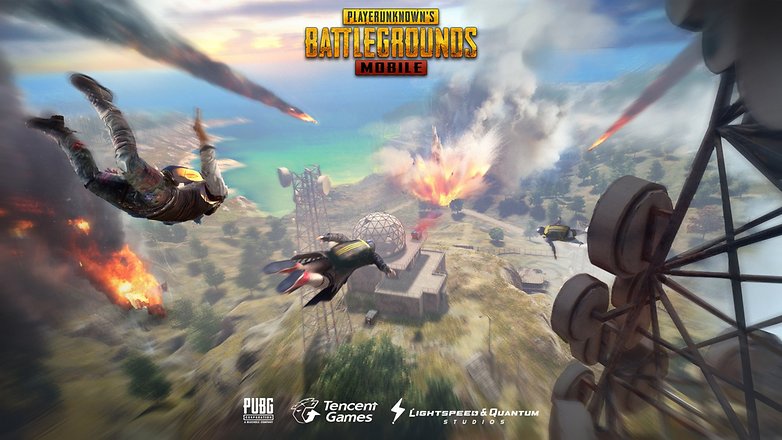
PUGB is really cool, and the joy of a "Chicken Dinner" — that is, winning a game — is worth every moment of tension! But if the competition is too relentless for you, we have plenty of other multiplayer games for iOS and Android to check out.
RPG: Monster Hunter Stories
RPGs are one of the most complete genres! These role-playing games take you to other worlds, and this is a concept that has millions of die-hard fans. Our pick as the best mobile RPG game is Monster Hunter Stories.
Monster Hunter is an established series on consoles, in which you must collect a variety of monsters. The graphic style and origin are again Japanese, and you need to spend a little more than usual to start your monster collection.
- Monster Hunter Stories for Android ($19.99)
- Monster Hunter Stories for Apple iOS ($109.90)
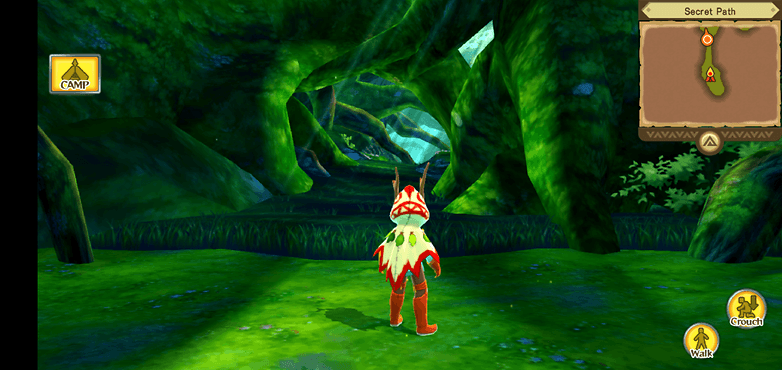
By the way, an alternative to this game is Genshin Impact, which we've already listed for you above. You can find more roleplaying games in our article that lists the best RPG titles.
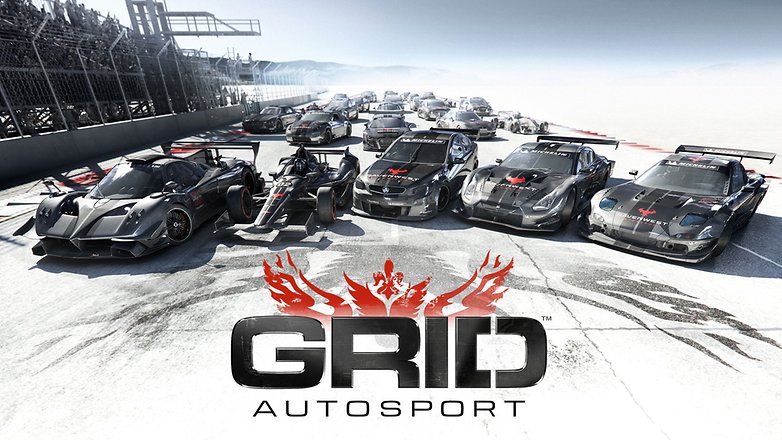
Best Tablet Game: Grid
Many of you might also own a tablet a may actually prefer gaming on the larger, expansive screen that it offers. While most of the games listed above can also be played on tablets, we think Grid by far offers the best gaming experience on large-screened devices.
- Grid for Android ($9.99)
- Grid for Apple iOS ($9.99)
Grid is a racing game in which you have to compete against opponents on a virtual race track. Our editor Casi believes that Grid lets you make the most out of the bigger screen. The game is priced on the higher side, but most people think it is actually worth the premium you pay for it.
Poll: What is the best genre for mobile games?
Did we miss any of your favorite games or genres? Well, it's time you make yourself heard. Participate in our poll and comment us your opinions in the comments section below.
What do you think of this selection? What are your top mobile games in 2021? Do not hesitate to share your recommendations and tell the gaming experiences that have impressed you the most this year in the comments!
List completely reworked in July 2021 with new games. Older comments may reference previously listed titles.






Nice post, I am also a game developer. I created Hen's Revenge. Please check it. It's also available on Google pay Store and Appstore.
yeah, I played Run Sausage Run. And, it's very funny game :)
Thanks for sharing informative information.
its all amazing
An excellent selection of games. I'm a fan of a couple of games on this list.
The name of their games alone adds a unique charm to every adventure. Sukia Games truly delivers an exceptional gaming experience!
What about AMazing TD?!
Hi you should try this android game called Go goat
this is all good gmes
nice article
i played Run Sausage Run. it's very funny game
Why there is not a roblox
I playd all these games, some of them are good some of them are bad.
Planescape and Quest are really awesome. So cool that I found them here, now I have what to play.
I Love word search puzzles games.
The post is very useful and I've been using it to be great.
My favorite genre is RPG
I wonder if anyone voted on the top rpg game here
Great read and good list of games. I would like to recommend Toon Strike Force game. It is available for Free without ADS in Google Play store.
Thanks for sharing informative information. I would like to recommend new games Latest Jump. It is freely available on the play store & app store.
best list of android games i ever seen
best blog and content is superb
very nice article about android game. keep on writing such information it really help me. thank you very much.