The best weather apps for Android & iOS: Here the sun shines on the display
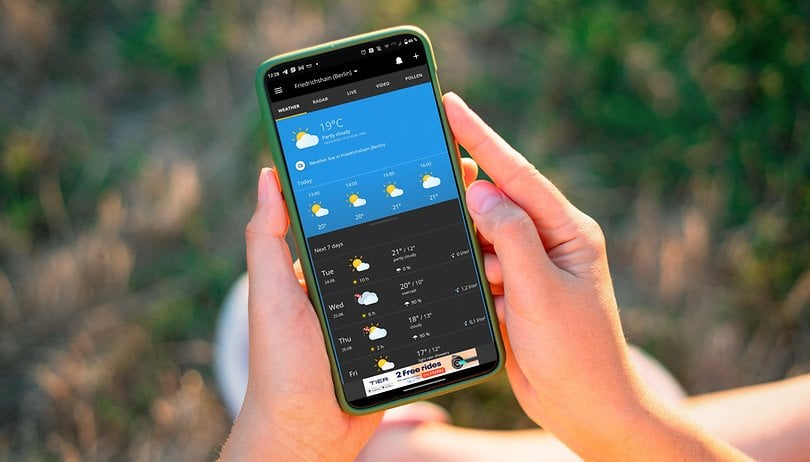

What is the best weather app available for your smartphone? In this list of the best weather apps, we have put together for you a selection for both iOS and Android platforms. We paid close attention to factors such as the topicality of data, appearance, and special features such as rain radar, widgets, and others. However, we cannot promise that the respective weather app will always guarantee you sunshine and bright days.
Back in the past, you had to turn on the television in time for the news in order to catch the weather forecast, but it is very easy nowadays. This is because weather apps in your smartphone basically functions as the ultimate weather station. Over the Internet, you can easily access specially processed data from weather stations that hardly anyone could afford on a private basis.
Below, we will show you what we believe to be the best weather apps for iOS and Android. We paid particular attention to how up-to-date the data is, how nicely and clearly the respective information is displayed, and how the special features are arranged. Because in addition to the temperature display, weather apps offer exciting additional functions such as rain radars or information on the pollen count.
NextPit's app central
The best weather apps for Android & iOS
AccuWeather
The AccuWeather application is the most popular weather app for Android with over 100 million downloads. In fact, it's also one of the best ways to check the weather on your smartphone. After your location has been detected, you will see personalized weather data that is obtained directly from the Global Forecast System (GFS). The design of the app is also really chic and presents the diverse information well.
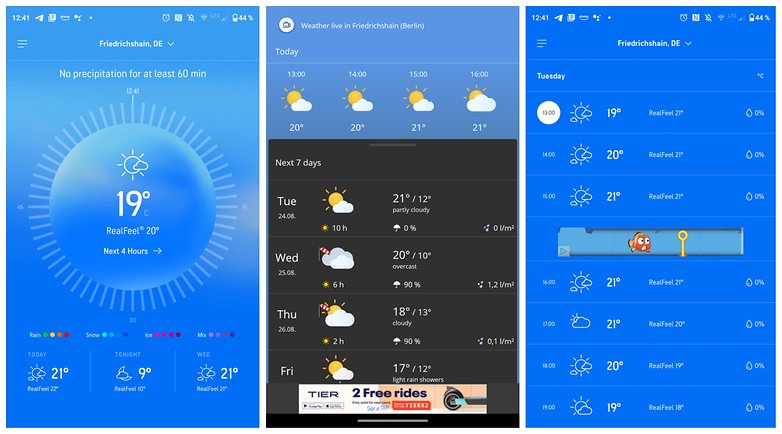
It is quite a challenge to keep users happy because AccuWeather has plenty of data under one roof. This includes information about the weather, air quality, pollen count for allergy sufferers to take note of, perceived temperature via "RealFeel", hurricanes, and a rain radar. There is also a widget where you can even choose between a light and dark modes. AccuWeather is free if you don't mind occasional advertisements. The ad-free version costs $9.99 annually.
Google Assistant or Siri?
The simplest and most reliable weather app already comes pre-installed on your smartphone: Both Google Assistant and Siri offer you the latest information about the weather at the touch of a button. All you have to do is to activate the voice command "Ok Google, what's the weather like?" or "Hey Siri, what's the weather like today?" by speaking these commands out loud.
You can already see an overview of the weather situation, including the probability of rain and a forecast for the next few hours. With additional commands like "How is the weather this week?" or "Do I need an umbrella today"? you can obtain more information from the wizard.
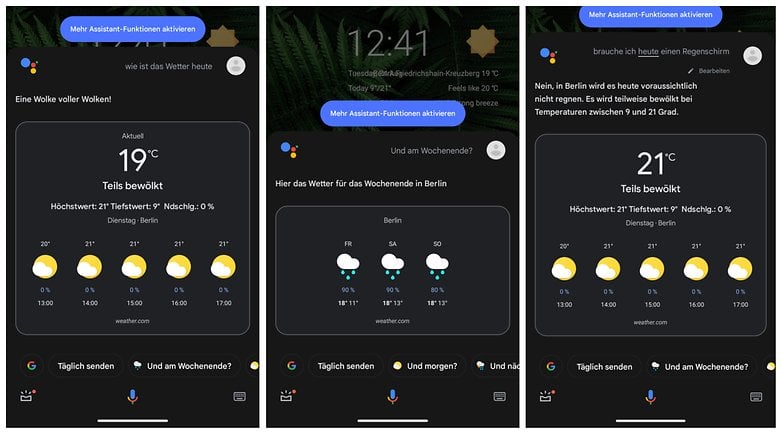
Google obtains such information directly from the reliable "Weather.com" service, of which we will come back to later. Apple offers its own weather app, from which Siri pulls the information from. Because Google Assistant and Siri are so well integrated into the mobile operating system, you can obtain these weather forecasts from just about anywhere.
Only one widget is missing from Android since Google has separated its "News" service from the weather forecast. If you are looking for a specific widget, we would recommend using another app.
Weather & Radar
With Weather & Radar, you obtain a weather app that offers plenty of information as well as a news feed. This makes it particularly suitable for people who like to enjoy short snippets about the weather situation. Just like in a blog, Weather Online presents images and links that can be clicked for additional information. Apart from this news function, the range of functions is also decent.
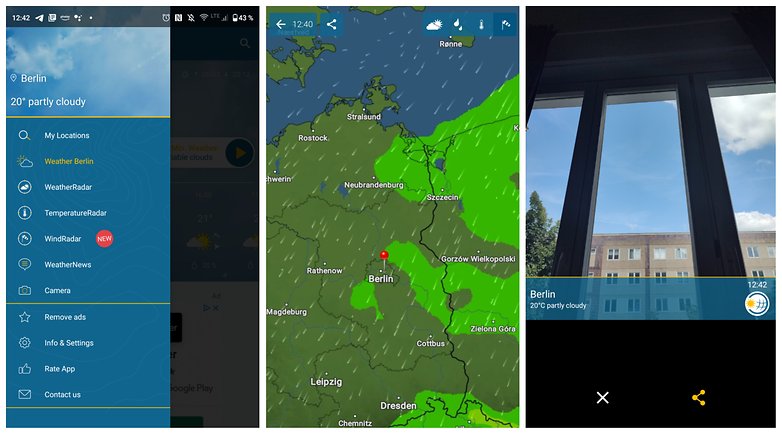
As a highlight, in addition to usual features such as weather forecasts, a rain radar, a wind radar, and a temperature radar, there is also a photo feature. This feature offers the possibility to snap a photo with the smartphone camera and send it to friends or relatives complete with accompanying weather information. This is a really cool idea if you would like to show off the current weather at your holiday destination.
Unfortunately, there is a lot of advertising in Weather & Radar. As with AccuWeather, you will have to obtain a subscription for either $0.99 per month or $6.99 annually. You can use a free trial for 14 days to see whether you like it or not.
Weather.com
Last but not least, a very popular weather app that has a clever advantage over other service providers would be Weather.com. This app also collects live feeds from webcams worldwide. In addition, the editors behind Weather.com also create videos complete with forecasts. So if you are partial to a news anchor presentation, we would highly recommend Weather.com.
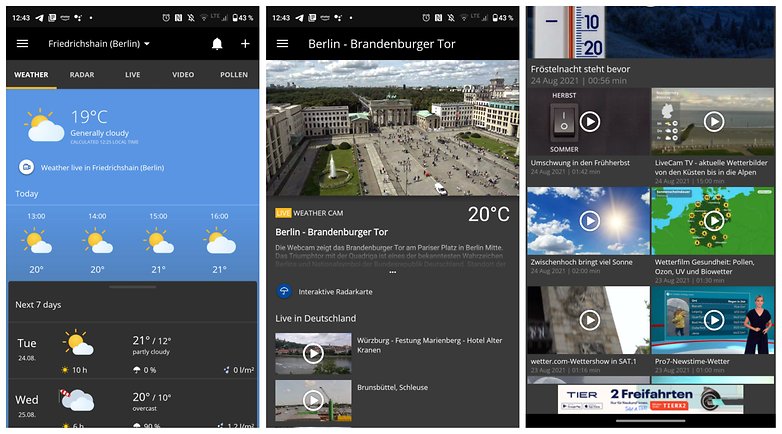
In addition, Weather.com can keep up with other weather apps in terms of functionality. There is a rain radar, warnings about the current weather situation, and of course, a weather forecast for the next few days. But even Weather.com cannot help but offer a subscription-based model. You will have to pay $4.99 annually or $0.99 monthly. If you don't want to be tied down to a subscription, the entire outlay can be a bit more expensive compared to a monthly or annual subscription.
Geometric Weather for Android
Another tip for Android users: The "Geometric Weather" app shows you the latest information from the "AccuWeather.com" service without any advertisements. As the name suggests, the design is rather abstract and based on geometric shapes. The result? A pretty and light weather app, which cannot compete with the aforementioned alternatives in terms of functionality and features, but those who love something basic and clean will be happy with this.
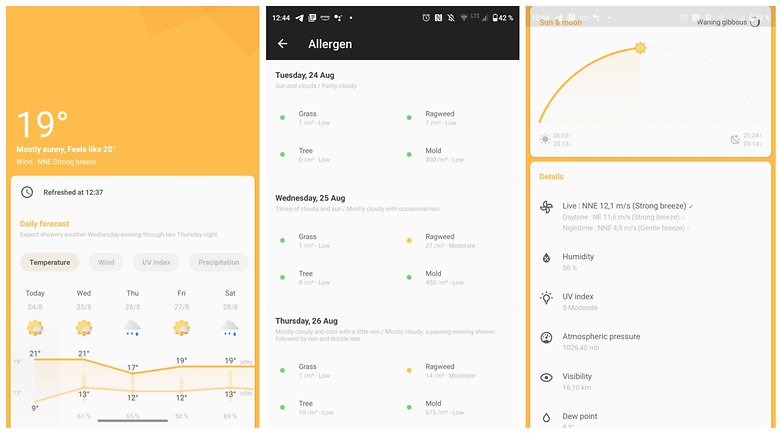
There is no rain radar, only information for allergy sufferers is available. The focus is therefore on an ad-free experience with a minimalist look. This kind of design language also continues in a pretty-looking widget with different presentation options. Installing Geometric Weather is free as mentioned, without any irritating ads to bother you.
How are your experiences with the above-mentioned weather apps and do you have an ad-free recommendation for Apple iOS? I am happy to include it in this article and respond to your suggestions in the comments.







I don't know what app or service that the LG G4 had for weather - but it was a fantastic phone that really alerted you to changes in weather etc.
Many times I got a weather "alert" from it and thought - what, no way. But it was right every time. And it worked out of the box with zero configuration. It didn't beep every day or bother you at all. But if was sunny and a heavy shower was on the way - you got pre-warned by an hour or two!
As some here have mentioned - I too used AccuWeather at one point - it had a very nice widget for a start - but after some months / years it's syncing / updating broke, and that never got fixed.
I currently have the Samsung Galaxy A50 - and the weather app(s) / services on it are awful. It shows weather per 4 hour segments - so the widget only shows the weather for like the next 16 hours - well I really am more interested in the outlook for the week (i.e. Monday / Tuesday / Wednesday etc.) - not what it is going to be like at 10 pm, 2 am and 6 am!
Also it is awful too because it beeps and alerts just to tell you it has updated etc. - not that the forecast has changed or anything or that a storm is on the way. No. Just alerts you to remind you how brilliant it thinks it is. :0)
Oh, the last thing that was also really cool about the weather app on the LG G4 was that the lock screen would have a weather effect applied to it to reflect the current weather - so would have water / raindrops on it if it was rainy weather, or have flashes etc. if a thunderstorm was expected. Was a cool feature.
I am using Today weather Pro and AccuWeather weather Pro. I also have 1 weather Pro.
Are there any android weather widgets that have cool animations? Like clouds sweeping past?
I have two paid weather apps, 1 Weather and Accurate weather, but these days I don't use any of them.
Since it's buried three years ago, I'll repeat a recommendation for "Canada Weather" Dewey Dunnington's great Environment Canada app. The only fairly reliable weather service for giant Canada is the government's, but it took this bright young Maritimer to make a slick Android app for it. Ad-free and a nice little widget.
When I'm in a hurry for a "quick" look at precipitation, I use Raindar. If I want a detailed look at precipitation, along with tracking storms, velocities etc, I use Radarscope (a paid app). For weather forecast, I use the "Sense 2.0" widget...if you remember the old HTC PDA days, the flip clock, with a weather widget built in.
The first three years with Android I used AccuWeather, until there were too many bugs and glitches, so I switch to WeatherBug and have never looked back (FYI I don't use widgets)👍
Sometimes in life, there are too many choices. This is one of those times.
Here mentioned all apps are good. But if you are looking for the best weather app for India then I want to suggest you Prkruti app. Prkruti can be used for agriculture, air quality monitoring, data science and smart city solutions.
WeatherBug - I have used this app consistently for the last 4 years (previously it was AccuWeather), and no I do not use a Weather Widget - perfectly fine with Temperature Display on status bar / lock screen.
I use Weather Wiz. it's free, accurate (because of using IBM weather data) and so reliable. All the essential info related to the weather is available within this weather app, such as: Current temperature, maximum and minimum temp, current weather condition, wind speed and direction, precipitation, sun status and more.
I'm unsure how accuweather gets anywhere near the top 10. It's currently telling me it's 14º in London. It's 25º. The forecast for the next 24 hours never goes above 15º but all of the tv weather forecasts predict similar to today. It's a waste of memory space
Maybe it's a refreshing issue in the app, because accuweather (web site) reports London right now as 24º. That's the same as what is shown in the Meteogram app mentioned below (Meteogram Weather Charts by cloud3squared) when you choose accuweather as the weather data provider... i.e. pretty close to reality.
After investigation, if I allow it to tell me my weather via Current Location, it is always wrong (even though it locates me accurately as a specific neighbourhood within London). However if I select London by 'add city' it is accurate. So I can get an accurate weather for it, however it means I won't trust the app when I travel elsewhere in Europe. I'd rather one that was accurate using my current location, rather than having to manually add specific places I arrive in
This is why I switched to WeatherBug (more accurate weather / conditions that are consistently updated)
Meteogram Weather Forecast (the one by cloud3squared... search for Meteogram Weather Charts cloud3squared) gives a detailed yet easy-to-read view of the weather... choose from a number of different data sources, and customise the chart almost limitlessly to create the look you want. You can even plot a tide chart, wave height and/or direction, sun and/or moon elevation, sunrise and sunset times, and much more.
My personal favourite is Forecast. It has lots of features like alerts, time travel, a dark theme, a tablet specific design, a quick settings tile, a dashclock widget, and a lot more. It uses Openweathermap/Dark Sky and has a material design. Search 'com.bunemekyakilika.android.weather.pro' on the Play Store.
I came to this article to find a replacement for AccuWeather which came with my Samsung phone. The problem with it is that it is not consistent within itself, so I never know what number to use. Right now it says the temperature is 44 F (1:04 pm). The hourly forecast says 50 deg at 1 pm. And if you click to go to the website it says 43 with a "real feel" of 33. And that is closer than it usually is. It might be accurate for the current temp, but it's pretty useless for predicting what it will be like in a few hours.
I switch to WeatherBug 4 years ago when I had problems with AccuWeather (thank goodness I don't have bloatware involving a weather app on my smartphone).
Of Interest, my Google Now launcher offers an accurate display of weather daily (do you use a launcher with built-in weather?)
After trying many...Weather Timeline is perfect. Well worth the small fee of $1.69 (Canada). I had previously been using Weather Bug which was good also..but found the advertising annoying with no option to stop.