Best soccer games for Android: footy on-the-go for 2020
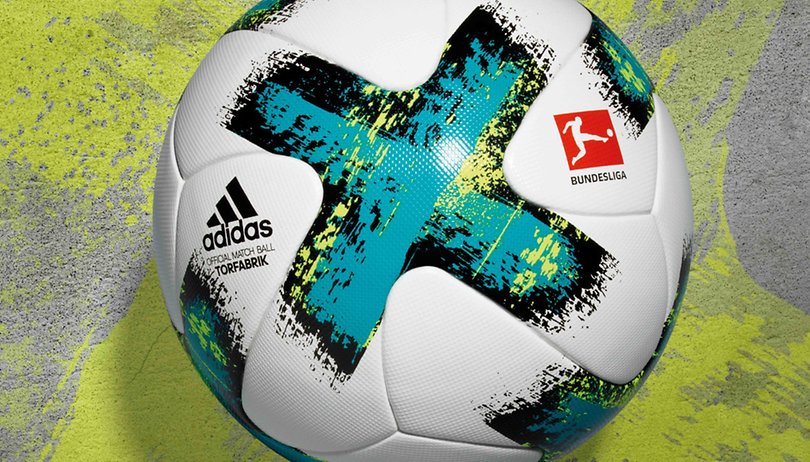

The 2019/2020 football season beyond the halfway point and it is one of the most exciting we've seen for years, especially in Europe! We're celebrating the beautiful game by recommending the top soccer games available for Android to get you through a summer without football.
FIFA Mobile 2020
The most popular soccer franchise on the planet is the acclaimed FIFA series, created by EA Sports. But FIFA is also available on Android. The focus of the mobile game (and in recent years the console versions too) is FIFA's immensely popular and lucrative Ultimate Team mode. Players have to earn coins by winning matches to exchange for packs of players. It's kind of collecting baseball cards but these cards represent players that be used in the game. You build up your dream squad and play against online opponents. You can, of course, buy packs of players with real-world currency too.
This biggest feather in the cap of FIFA, and the main reason why it continues to dominate the soccer game market, is EA's purchase power. The company has the rights to almost every major league, meaning FIFA has the widest range of officially licensed teams, kits, players, competitions and stadiums. If you are the kind of player who wants their football game to look like the real thing, look no further than FIFA Mobile.
${app-com.ea.gp.fifamobile}eFootball PES 2020
Of course, in this list, we couldn't leave out the main rival of the FIFA series. In its native Japan they call it Winning Eleven. On UK shores it is called eFootball Pro Evolution Soccer. These days, old-school gaming fans and football fans who grew up with the PlayStation 2 versions of the game just call it 'PES'. The latest version for 2020 is probably the best soccer game for smartphones today, with almost console-level graphics and refined easy-to-pick-up gameplay.
The PES versus FIFA debate will go on forever, and there is no doubt that FIFA has won the battle for commercial success. But PES holds a special place in the hearts of real football fans. It's more arcadey than FIFA, but it's more unpredictable and has a 'feel' to it that some soccer gaming fans to this day say that you can only get with PES.
${app-jp.konami.pesam}Soccer Star 2020
This great and addictive soccer game aims to put you in the decisive moments of each game to perform the vital action. Be it a goal kick, a dribble, a pass or even a header. This game is all about the glory of the moments that change football matches. You create your player and as long as you play well, contracts arise that will lead to the ultimate success of your career as a player.
It's easy to pick up and it will ensure hours of fun. If you are looking for a more casual football game that skips straight to the key turning points in matches and strips away all of the build-up, Soccer Star 2020 is the soccer mobile game for you.
${app-com.generagames.soccerstarleaguesfootball}Soccer Stars
Not to be confused with the game above, Soccer Stars is the kind of football game that even non-football fans can enjoy. It's got a bit of a Rocket league vibe going on, crossed with the classic table game Subbuteo. Players swipe discs about to score goals on a small five-a-side football pitch. Matches are played online against opponents from around the world. It's really a lot of fun.
There are hundreds on mini-tournaments, cups and trophies to win. You can also play local multiplayer against your friends on one device - pass and play, just like the good old days. For those who are looking for something a little lighter and don't want to mess around with rosters and player transfers and substitutes, Soccer Stars should be the football game you download.
Football Manager 2020 Mobile
Offering a slight change of pace compared to the other games on this list, Football Manager 2020 Mobile is a fantastic port of the legendary PC and Mac game. There is a large community of players for whom this is the only game they play each year. FM, as it is more commonly known, has an enormous reputation in the UK and Europe for being ferociously life-consuming. Many an undergraduate degree has been ruined by how engrossing this game is.
Rather than play soccer, you take on the role of manager and must run every aspect of your club from buying an selling players, to training, to match tactics and in-game substitutions and tweaks. This is easily the deepest football management game in the world, and the mobile port is fantastic. It's not free, but it's worth the price. There's also a tablet version called Football Manager Touch 2020, which costs a little more but comes with more of the PC features.
So, which football game is top of your league table? If you have any favorites that are not on the list, just suggest it below in the comments.











you just update some game and made title 2020
What do you think of football quiz games. At the moment I'm playing this football clubs quiz game - play.google.com/store/apps/details?id=com.anrudev.football.clubs.quiz.game
Lots of interesting questions for clubs from all over the world.
This is without any doubt the best football manager game /play.google.com/store/apps/details?id=air.BetNSoccerSellPhone#details-reviews
How ?? i mean Soccer Hero is the best Football game. This Soccer Hero game has a replay mode for the goals you have failed to score and which is my favorite feature and does not find in many soccer games
BtW: Http://www.farhantech.com/soccer-games-android/
First Touch Soccer are the best, in my opinion!
My Best Score Is 76 SCore Rapid Fall Game
play.google.com/store/apps/details?id=com.Spicy.Game
Flick Kick Football Legends is a fantastic game. Very humorous and reminds me of the old "Football for Boys" magazines that used to come out in the 70's and 80's. Only downside is the necessity to purchase in app add-ons if you want your team to go anywhere, but a very funny and engaging game none the less.
Dream League Soccer is also a great game
I'm not a big fan of FIFA14 personally, just because of my own unique tastes. I like simpler games without the whole management aspect like Fluid Soccer, but that's just me.
Gaming has turned out to be one of the favorite activities for many. They are the best way to kill time as well as some games enhances your memory and tactic skills.
@FlynnMccoy, Yeah there have been tons of studies about the benefits of playing games including, as you rightly said, improved memory (I know the Game Boy classic "Tetris" has been used in these studies quite often).
Apparently they can make you happier too :D