Best translation apps for text, speech, pictures and more
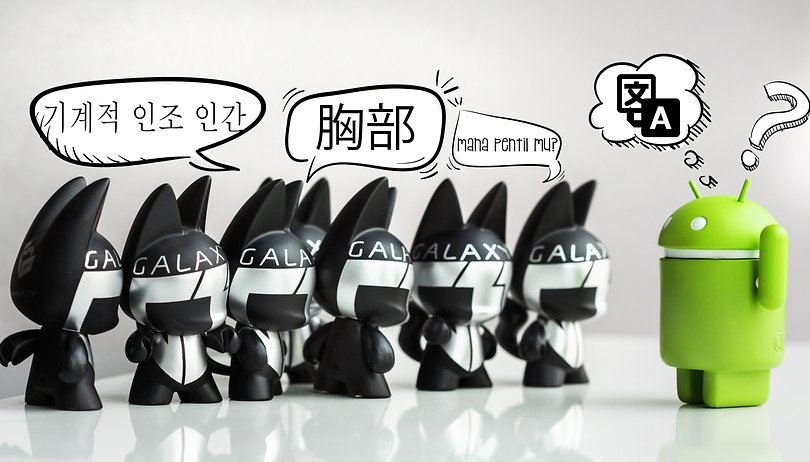

If you need a reliable translation app, whether for text, pictures, or even live conversations, we've got you covered. We've tested a ton for you, and this list is comprised of only our picks of the best translation apps for Android.
Jump to section:
- Best all-round: Google Translate
- For offline use: Microsoft Translator
- Best voice recognition: Translate voice
- Best ad-free dictionary: Linguee
- Ease and simplicity: Easy Language Translator
- For individual words: PONS
- Best for accuracy: iTranslate
- Messaging: GBoard
Best all-round translation app: Google Translate
If you need a translation app that does everything you need – plus things you never thought you needed – then Google Translate is the right choice. It works with any Android app so you can quickly translate within WhatsApp, Facebook Messenger, Evernote, Google Chrome, Feedly, etc.
The type-translate function currently supports 103 languages, which can be translated either from via your camera or when simply typing. However, two-way automatic voice translation is limited to 32 languages for now.
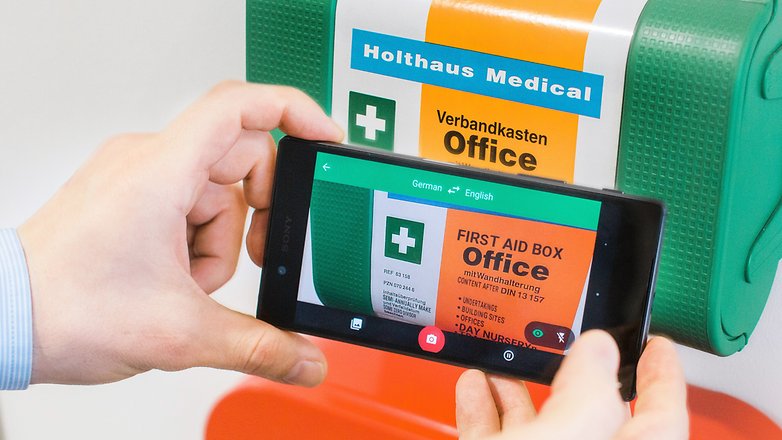
The coolest feature of Google Translate is the instant camera text translation, which instantly translates public transportation schedules, warning signs, menus and much more. The size or font of the text does not matter - it will be instantly translated. This function is limited to 37 languages, but works incredibly well. You will be amazed at the number of instances where it comes in handy. Plus, once you download the relevant language packs, you can translate while offline.
Best for offline use: Microsoft Translator
Microsoft jumped into the Android translation market with this simple and sophisticated app. It's designed for offline use and supports 42 languages. Getting them is easy - you just need to download each language individually. Each one is around 200 MB and can be used for offline translations once downloaded.
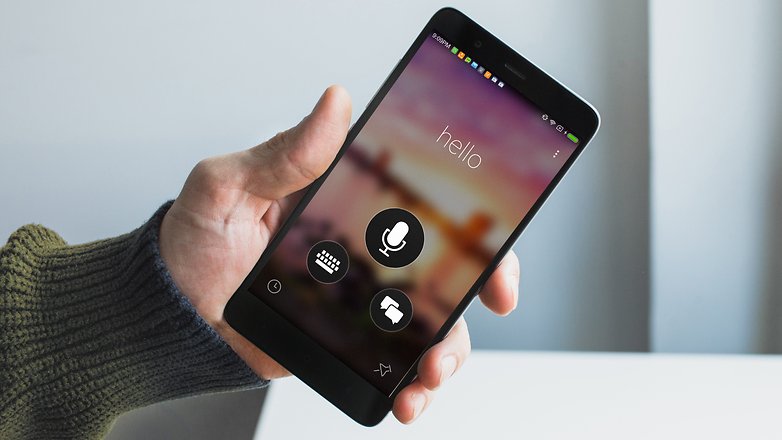
The interface for Microsoft Translator is practical and well-designed. When you open the app you are given four buttons for quick access. You can choose speech detection translation, keyboard translation or two-way translation.
While the interface is much nicer than most translation apps, Microsoft Translator is not a versatile translation app. It doesn't translate text as instantaneously as Google Translate. For translating live conversations, it's a fantastic app though. And, the app does support Wear OS and this can give you quick translation access that other apps cannot.
Best for voice recognition: Translate voice
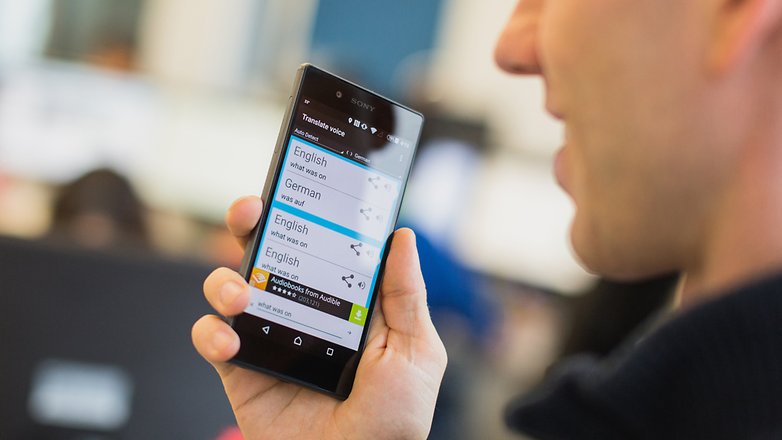
Translate Voice has the best voice recognition of any of the translation apps we could find. You can say a word or read an entire paragraph and the app keeps up with you. It is dependent on your smartphone's voice recognition capabilities, so results may vary.
Translate voice has the best voice recognition of any translation app.
This app is especially helpful for when you are in social situations where typing is impractical. With Translate Voice, you can say phrases and then play the translation aloud to the other person.
Translate voice is limited by its number of usable functions. If you need something that is more thorough in its translation services, you should probably try one of the other translation apps.
Best ad-free dictionary: Linguee
Dictionary Linguee is a powerful multilingual dictionary and language app that offers a ton of functionality without in-app purchases or even ads. It supports Spanish, French, German, Portuguese, Russian, Chinese, Japanese, Italian, Dutch, and Polish. Aside from simple word translation, the app also offers offline support, example sentences, audio pronunciations, and a fast integrated search function.
The UI is clean and intuitive. If it supported more languages it could easily rival Google for versatility. Yet, the languages it does support boast high accuracy and there aren't any annoying ads spoiling the experience. If you need help with one of the above languages, Dictionary Linguee is one of your best options.
${app-com.linguee.linguee}For ease and simplicity: Easy Language Translator
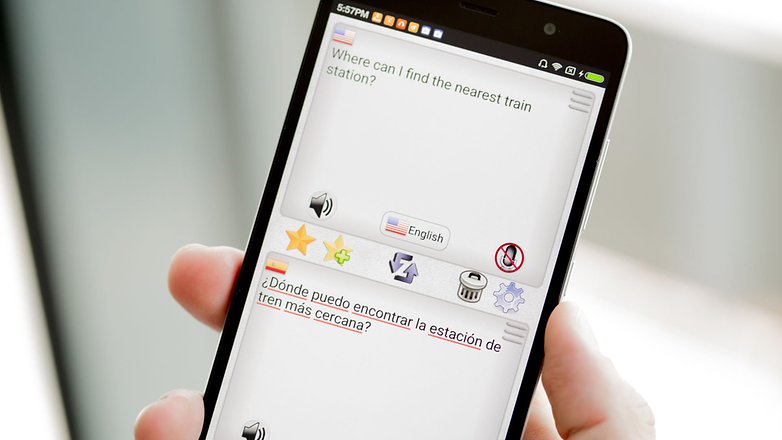
If you want a translation fast on a simple interface then Easy Language Translator is your best bet. This app was developed with ease-of-use in mind and is ideal for beginners. It has just two translation functions – typing and speaking – and they both provide quick translations.
Easy Language Translator's buttons are relatively large and have flags next to them so you can quickly distinguish between the languages. The large font size makes it easy to see your translations. The app only has a few functions but that's part of what makes it so easy.
The default settings are user-friendly, but you can customize them to make the app even better. There are 10 font sizes and six themes. You can choose which functions you want, such as dictionary, phonetics and corrections.
Best app to translate individual words: PONS
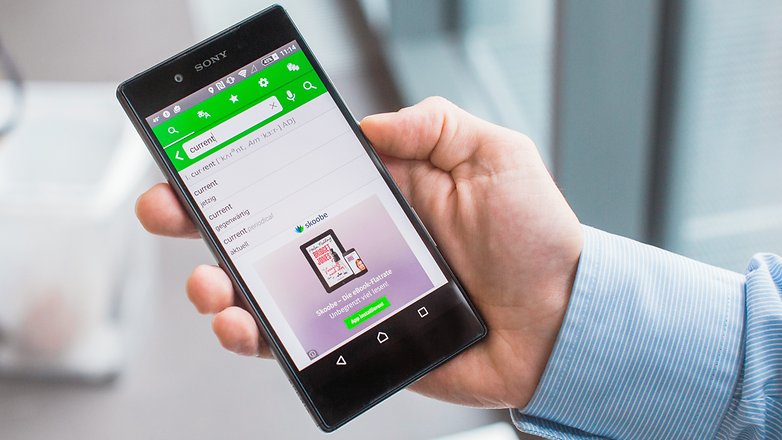
PONS Online Dictionary is a dictionary with translator functions, which means it can give you in-depth descriptions of words. Words often have several meanings, so PONS gives you a few options displayed in a simple interface.
The word 'current' could mean 'electrical current' or 'new' and it can be either a noun or an adjective. If you need to find the intended meaning, in order to get the right translation, PONS is great at helping you figure it out.
PONS is also good for finding and translating phrases in which to use these words. A suggested phrase for 'current' is 'this version is current', which is immediately translated on the other half of the screen. This gives you a better understanding of the word's use in both languages.
Most accurate text translations: iTranslate
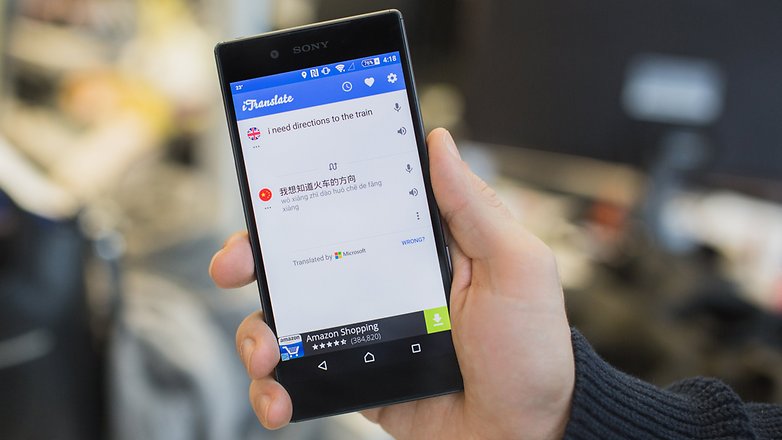
If you need a sentence or two translated, iTranslate will give you the most accurate results. It is equipped to handle more than 90 languages. And though this is just a small fraction of the total languages in the world, it can be useful in the majority of situations.
iTranslate is also the best app to use for typing or copying text. The swipe feature quickly copies blocks of text and translates them effortlessly. If you find something in your translation that you may need later, you can also save it in your favorites.
While the voice recognition is not the best, it does have an amazing audio function that can read back translations in different dialects. For instance, you can choose between British, American and Australian English. You can also have the text read back to you more slowly.
Best translation app for messaging: GBoard
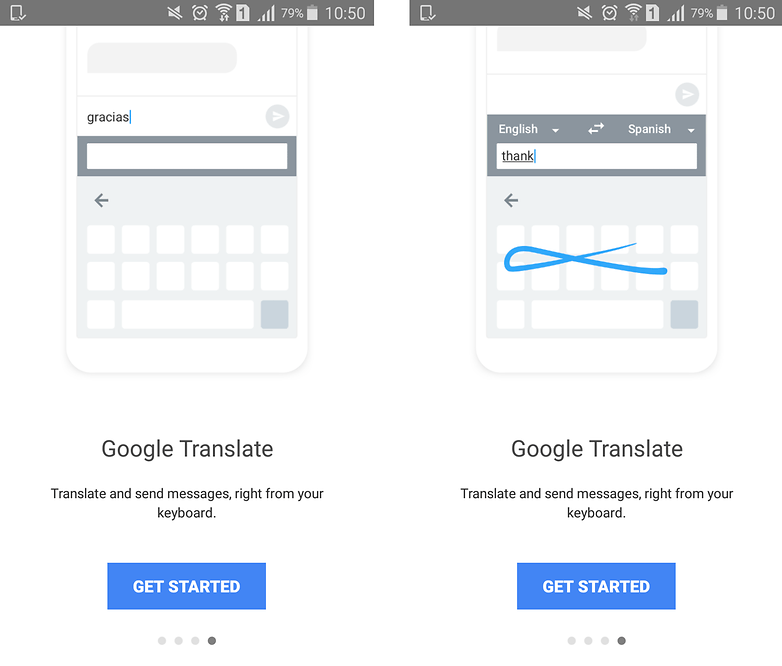
Whether you're traveling or sending messages to friends from around the world, it can be a pain to jump from app to app just to send a message in another language and translate replies. With GBoard, the keyboard app from Google, this problem is finally solved. It's a multi-lingual keyboard with a translator built right in!
You can use its many keyboard configurations to type in multiple languages. You can switch between your native language and any of your other secondary languages just by holding down the space bar. It will auto-correct and make suggestions for any of your enabled languages.
But the real magic is that Google's keyboard has Google Translate built in. That means you can type in your native tongue, and it will translate into another language instantly as you type. Just select the language you want it to translate to, and it will translate simultaneously as you type - word by word. You can then edit the result as you see fit before sending the message. GBoard also has built-in search functions if you want to look up words, and you can copy and paste replies to translate them to a language you can read.
What do you use translation apps for? What do you think is the best translation app? Let us know in the comments.







Hi, I am a translator, and I usually use different tools for my daily work. I could tell you that as a reference I prefer to use deepl.com rather than google.com, because at the end of the day, I can check more natural expressions. However, if my goal is to search for idioms or technical terms, here I use linguee.com or translafy.com. We should be thankful that the translation world has more and more tools, which helps us to do our work in a more professional way.
One more time, you do not know Deepl.com for computers and it's Android application. Which is the best for translation of text. It's very easy to verify what I say. Take any text, translate it with Deepl, then use Google translate, finish with Microsoft Translator. Now, only check the results. I am a blogger. I use Deep to translate complete articles in English or Spanish to French. The result is always quite perfect, I have quite nothing to change. Deepl uses A.I. So, it builds complete and correct sentences. Google translate, desktop version, uses A.I. too, which is not the case with Android APK. But Google began using A.I after Deepl, so the results are not to the same level. Microsoft Translator is out of this game.
I like using Google translate and if I recall correctly Google lens also does translation through the camera.
To my opinion the best translation is Deepl.com. I use it on Android and my Chromebook. Far better than the Android version of Google Translate. Just try on a complex text and compare the results.
I noticed that the Google APK of Translate is far less powerful than the desktop version.
I noticed too that translating with a photo is far more efficient with Microsoft Translator, which is able to translate the picture of an entire page. Google Translate works only by line.
I'm a blogger and with Deepl.com I can translate complete web articles quite automatically, without having to make many corrections.
Deepl uses A I.
The Google Translate APK, does not.
Mana Pentil mu! Wkwkwk, ngakak gw :v
I appreciate Microsoft and mainly Google translators because it is very easy to use, but for delicate or precise translation www.deepl.com seems generally better.
Michel - deepl has a limited number of languages to translate to.
Google Translate does the job quite well.
For long articles, I prefer to read my main ideas using an automated translator. I use both Google Translate and Bing Translate. Even if the translation is not the best, I can figure out the value of the article and then read the English, and just the words and phrases I do not know or I am not sure I'm looking for in the dictionary.
For beginners, for advanced, for professionals, to communicate in any other language and with anyone, these automatic translators are a real help.
With their help, the world is closer to each other.
The article said that Microsoft Translator is best for offline use. Why is this the case when Google translate has offline options? What does Microsoft Translator do better in this regard?
Google Translate is still the king. Not perfect but still much better than the Bing/Microsoft translator.
It will be when offline voice is available.
I want a PAID translator (English/Spanish) app so that I don't hve to endure the constant ads in most Android translation apps!
Hi I want an app that will translate words into English from Spanish as I read a book on my Samsung Galaxy tab A. I saw something where you just touched the screen and the English word appeared. Thank you
Recently, I have used this app during my Asia tour. I feel very good and very helpful. Share with the people play.google.com/store/apps/details?id=com.studio.hazard.translateworld
I am looking for an app that supposedly will translate immediately as you are speaking...anyone aware of such an app?
Thank you!
Randy
I am going to Romania this month. What I would like to find is a translator that would accept my voice in English and be able to translate it to text or audio. Likewise, a person from Romania could input their language and have it translate to English. Does Microsoft Translator do this?
Did you try Reverso Context ? it provides you accurate translations with relevant examples for millions of words and phrases, in context. You could rank it between best translation app for accuracy / best translation app for words and phrases / best translation app to help you improve your language skills. Thanks
Very nice, but what I am looking for is an in app translator. I hate having to move from one window with copy and moving to another window to paste and then back again. Has anyone accomplished this yet? I have Google translate - it does SMS (text) but not anything else. Thanks.
[removed]