Best YouTube alternative video players

YouTube may be the Internet's most popular platform for video content, but not everyone is perfectly happy with it. Whether you're looking for different content, fewer ads, downloads or background play, there are alternatives out there to Google's YouTube app that deserve your consideration. We break down the best in this article.
Jump to:
Alternative apps for watching YouTube videos:
Alternative video hosting sites:
Low data alternative to YouTube:
NewPipe: open source alternative with background playback
A personal favorite, NewPipe is a great free YouTube alternative, but you won't find it in the Google Play Store. Instead, you'll need to check the alternative app store, F-Droid. In F-Droid you will find many free open source apps. The service also takes care of automatic updates of the apps installed.
To be able to install F-Droid and the apps it contains, you must allow the installation of apps from unknown sources. To do this, you'll need to manually enable it in your phone's security settings.
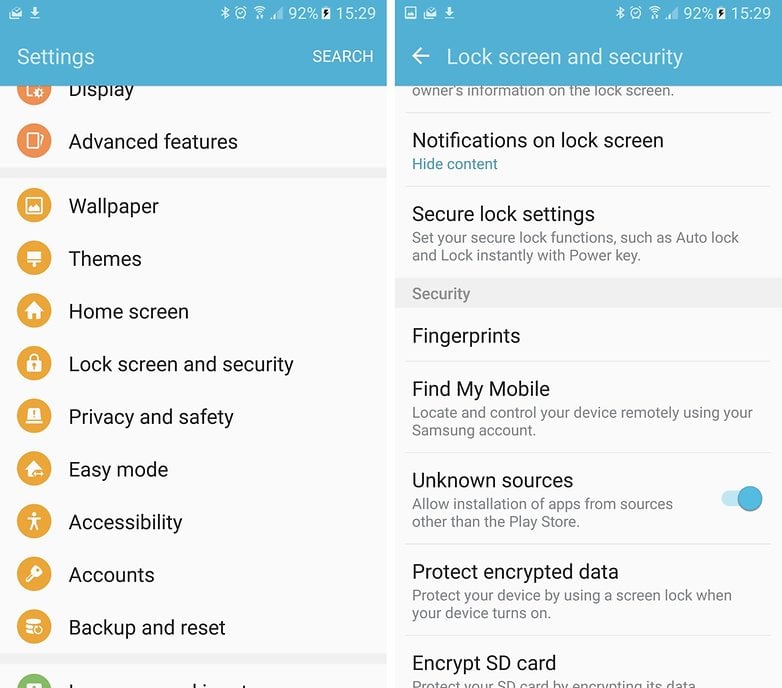
Now you can go to the F-Droid website in your smartphone browser and download the F-Droid app; the installation should start immediately. If not, tap the completed download notification to start it.
After installation you can start F-Droid immediately. But initially the list of apps will be empty. F-Droid must first download the currently available apps from the server. This may take a few seconds. After that, you can type in NewPipe in the search field. In the search result, tap the Install button to install NewPipe.
If you tap Run, NewPipe starts up with a red search bar at the top and an otherwise completely white screen. Type in the name of your desired song or artist to search.
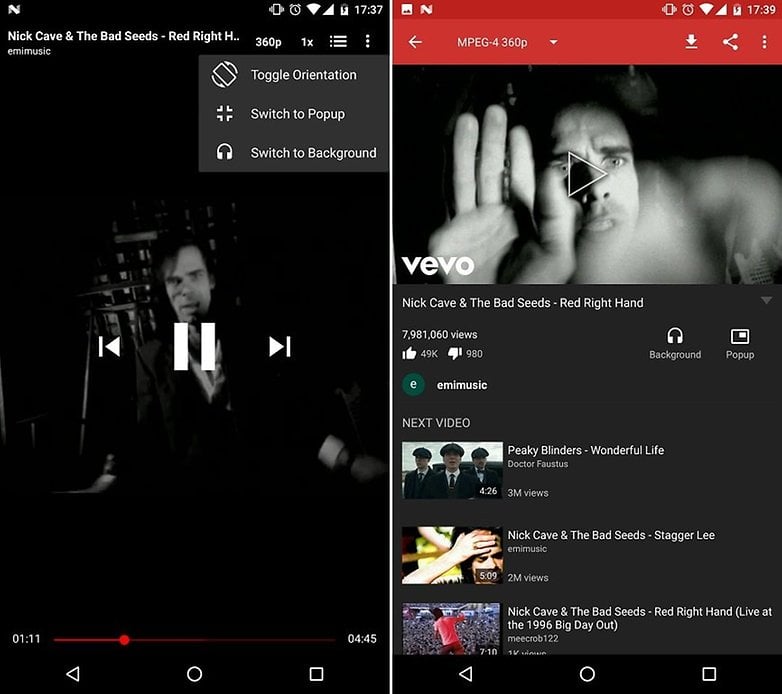
Newpipe benefits from a nice clean ad-free interface, and is able to keep playing videos in the background while you do other tasks, or even when the screen is off.
The downsides are that it doesn't support your Google account, so you can't see your subscriptions. Video quality options are also limited on NewPipe—it doesn't support playback of 1080p or better.
OGYouTube: YouTube enhanced
OGYouTube is a modded version of YouTube so at first glance it looks identical to the official YouTube app, but it actually has additional features that many users wish the default YouTube app had in the first place.
For a start OGYouTube allows you to have a floating window playing which you keep playing on any screen, even when you're browsing the web, messaging, or using whatever other apps you want to. Unlike NewPipe, OGYouTube supports 1080p content.
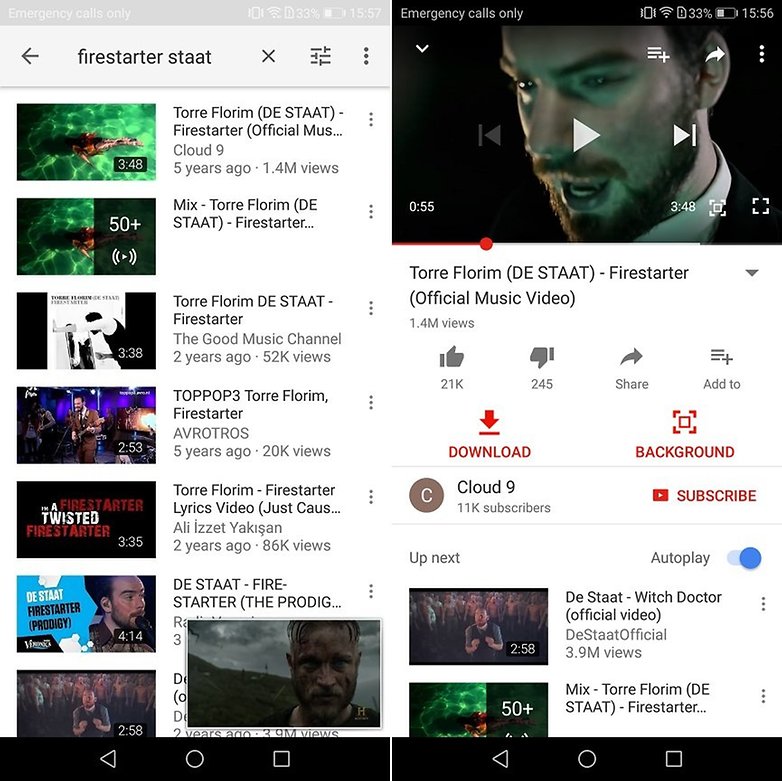
It is also possible download the YouTube videos (up to 1440p), or just the audio, directly from the app. Bear in mind, however, that it is illegal to download copyrighted material unless you can claim fair use (for research, criticism, commentary, education). It's also worth mentioning that the developer of OGYouTube no longer updates or supports it as of 2017, so compatibility on future devices or Android versions may be limited.
OGYouTube can be found on APKMirror, and you will need to have installation from unknown sources enabled as previously detailed.
Vimeo: discover high quality indie creators
Vimeo is a video sharing website intended as a platform for professionals, with strict guidelines for uploading to ensure high quality content. It's not supported by ads, but instead by donations from the fans of the content creators, or via paywall in the case of some videos.
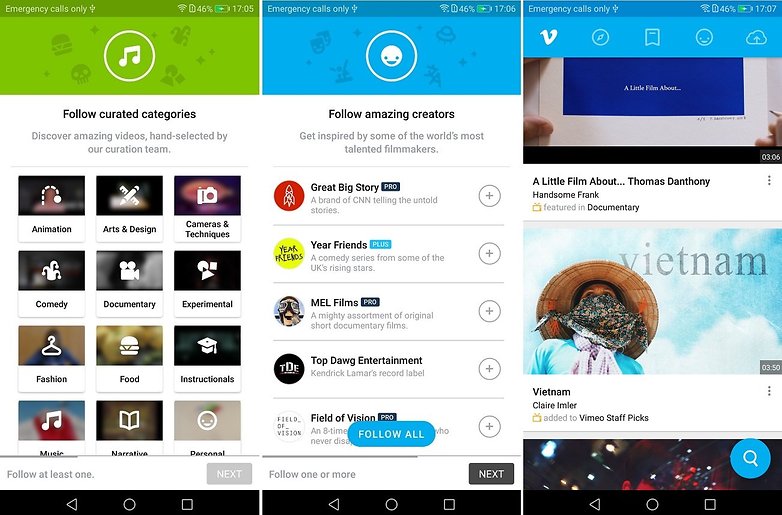
Because of its standards Vimeo's content tends to be less about random cat videos and more arty. You'll find great short films as well as journalism, documentaries, animations, etc. Downloads are also supported.
${app-com.vimeo.android.videoapp}Dailymotion: YouTube's old rival
Dailymotion is a familiar rival to YouTube on the web and also boasts its own Android app. In terms of uploading content and monetizing it, Dailymotion has a similar strategy to YouTube. Uploaders can monetize content via ads or paywall and also upload public and private videos for free. So you can expect to see ads on Dailymotion, but there's also content that's not available on YouTube.
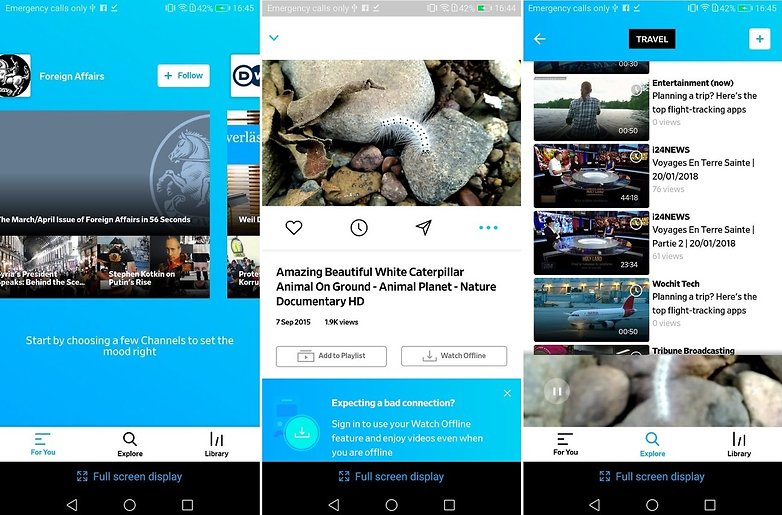
Dailymotion only allows upload of videos up to 60 minutes long with a max file size of 2GB, so feature length films, for example, might be split into multiple videos.
Aside from having different content to YouTube, Dailymotion also allows you to download videos to watch offline later.
YouTube Go: if you don't have a good internet connection
If you don't have a fast internet connection or an unlimited data plan, using the regular YouTube app can be a real pain. That’s why YouTube has launched a light version of its YouTube app. It’s a free app aimed at emerging markets that allows you to download YouTube videos to watch later (a feature touted by the previous recommendations but missing from regular YouTube).
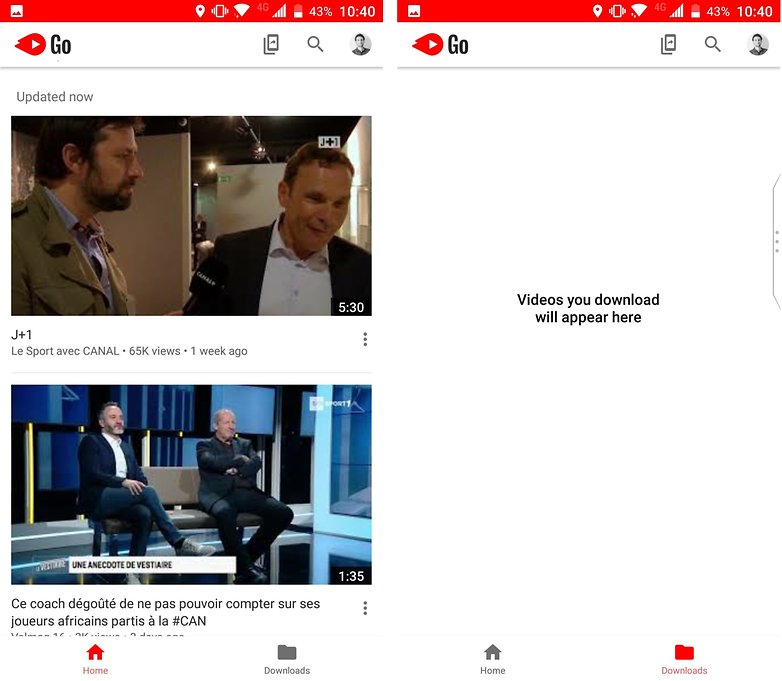
With YouTube Go, you can download a video that you want to watch later without having to use up all your data trying to stream on the move. Even if you're on Wi-Fi, this app is great to use when your connection is bad. To get YouTube Go, follow our detailed tutorial.
Which of these YouTube alternatives is your favorite? Do you have any others to recommend? Let us know in the comments!










Make your own video streaming platform for a better monetization strategy. Check out the list of global platform providers here, Instead of finding an alternative video platform.
Alternative Platform Provider list:
1. VPlayed
2. Brightcove
3. JWPlayer
4. Dacast
Thanks for your amazing review!