The best calendar apps for iOS & Android compared
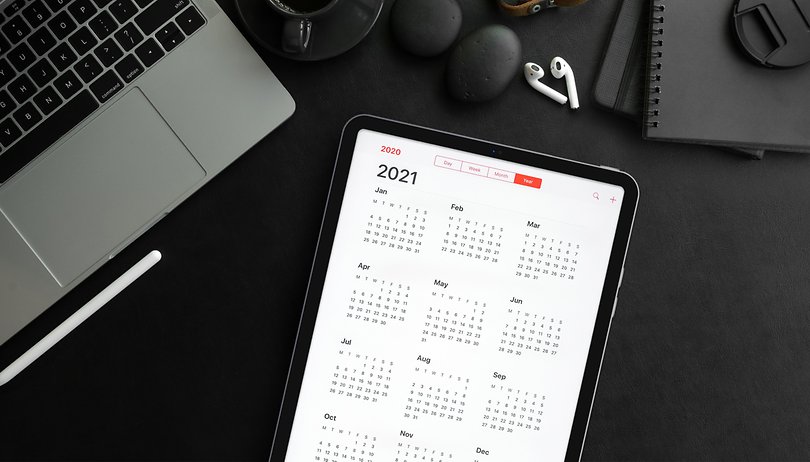

Do you hate missing out on your important appointments because your memory failed you? If so, you should definitely turn your smartphone into an appointment planner. With a calendar app, you can automatically import appointments from emails, receive notifications, and take advantage of other convenient features. NextPit puts forward what we think are the best calendar apps for iOS and Android.
Forget about making calls and taking photos: The true dual role played by your smartphone as an appointment planner or organizer! It's incredibly convenient to be kept informed of important appointments or birthdays even when you're on the go. Since your smartphone is always connected to the Internet, calendar apps can also synchronize with your Outlook calendar or e-mail account.
However, not all calendar apps are cut from the same cloth. Therefore, we will show you the best calendar apps for your Android smartphone or iPhone below. We always begin with pre-installed solutions before moving on to other viable alternatives. Let's go!
Jump to:
NextPit's app central
Calendar apps for Android
Google Calendar
You can find Google Calendar pre-installed on virtually every Android smartphone. If you have never used a calendar app before, you should really give the software a chance. This is especially so due to its connection to the Google ecosystem, giving you a great all-around solution that could possibly simplify your life.
Personally, I use the Google Calendar on both private and professional accounts. I like to manage appointments on the PC via the browser (just head to this address) and be reminded by your smartphone. From Google Calendar itself, the software giant has also integrated links to some other Google services.
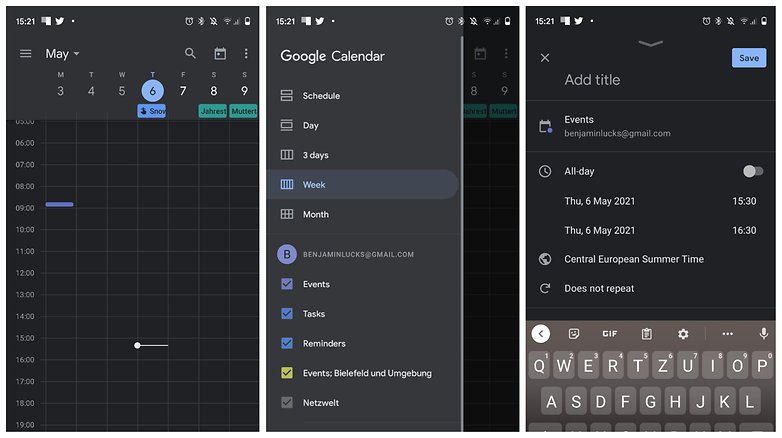
This way, you can directly link appointments to a chat room at Google Meet and even hunt down appointments in companies where you can see anonymized calendar versions of your colleagues. Google Calendar also goes together with Keep, an app that is handy for reminders and taking down quick notes. Of course, all of these have been well-integrated as a native Android app.
Can't find Google Calendar on your Android smartphone? If so, please download the app from the Google Play Store. If you also use an iPhone as a secondary device, you will find the iOS version below.
aCalendar
aCalendar is a popular calendar app from Germany. When you launch the app, you are first presented with a short tutorial. It's super simple to use: a horizontal swipe across the screen switches between display modes (month, week, or day), where you can scroll vertically through the month, week, or day.
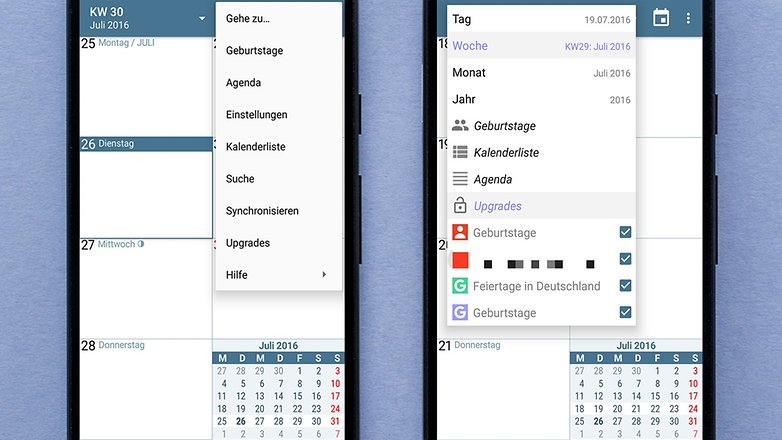
The app offers synchronization with your Google account, so you can manage your appointments on your computer. If you are already using Google Calendar, all entries are already in aCalendar after the initial launch.
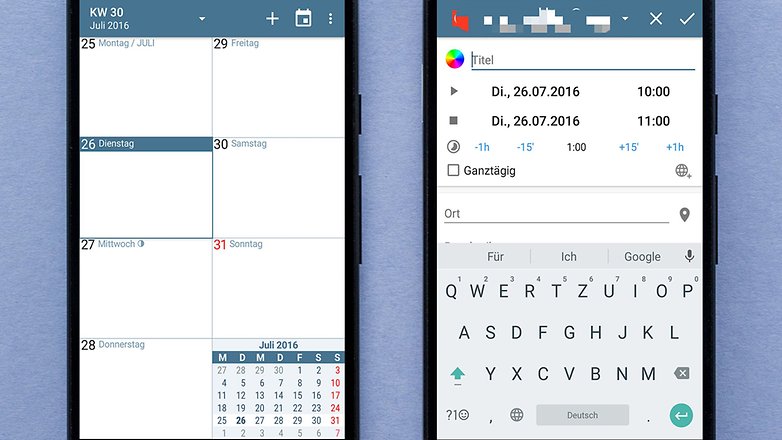
All in all, aCalendar is easy and intuitive to use and has all the features you would expect from one of the best calendar apps. If you're interested, you can find aCalendar completely free in the Google Play Store.
Microsoft Outlook
One of the flagship digital schedulers also sports a powerful Android app: Microsoft Outlook. Again, it's a good idea to install it if you already manage your appointments via Outlook on your PC or receive your mail via an Outlook address. However, if you are looking for an independent calendar app for Android, Outlook also comes across as highly recommended.
Thanks to the email link, you can import suggested appointments directly into your calendar and schedule direct video calls with platforms such as Teams, Zoom, BlueJeans, and Webex, just like you would in the Google universe. If you want to maintain a shared calendar with your family or friends, this is also possible.
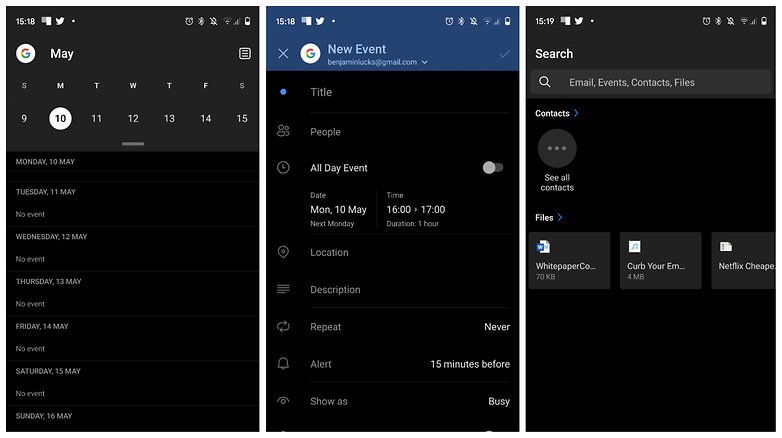
Of course, your smartphone can also remind you of important appointments in Outlook, and Microsoft repeatedly emphasizes that it attaches great importance to data protection in the Google Play Store. The prerequisite, however, is, who would have thought, a free Microsoft account.
Any.do
Don't see a huge advantage in the email connection between Outlook and Google? Then you should check out Any.do. It is one of the most comprehensive and stylish calendar apps for Android. However, some of the coolest features are only available to premium users.
For example, if you want to receive notifications via WhatsApp message or be reminded when you arrive at a certain location, you will have to fork out $39.99 annually. If that's not so important to you, the developers concentrate mainly on a clearly laid out to-do list.
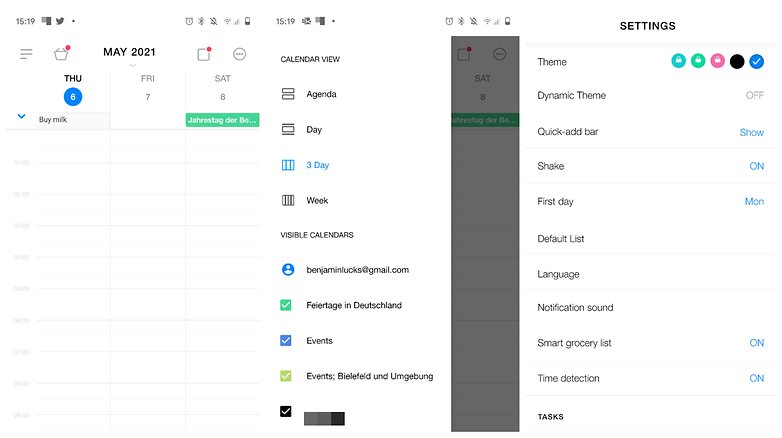
You can access the calendar via a second tab. Here too, the app is clearly laid out. A scrollable list with dates on the top screen navigates you through the individual days on which you have scheduled appointments. Alternatively, there are also different views - by week, a 3-day view, and a list of the individual appointments.
Simple Calendar
Meanwhile, a lot of the best calendar apps rely on cloud connections, accounts, and import functions for everything possible. But if you prefer things to remain simple, you're in good hands with (who would have thought) - Simple Calendar on Android. After the initial launch, the app simply displays a calendar to which you can add appointment entries.
You can enter the title, a description, and a location, and also set automatic reminders. The assignment of colors provides a little more clarity. Despite the simple interface, there are many different customization options, some of which are unfortunately reserved for premium users.
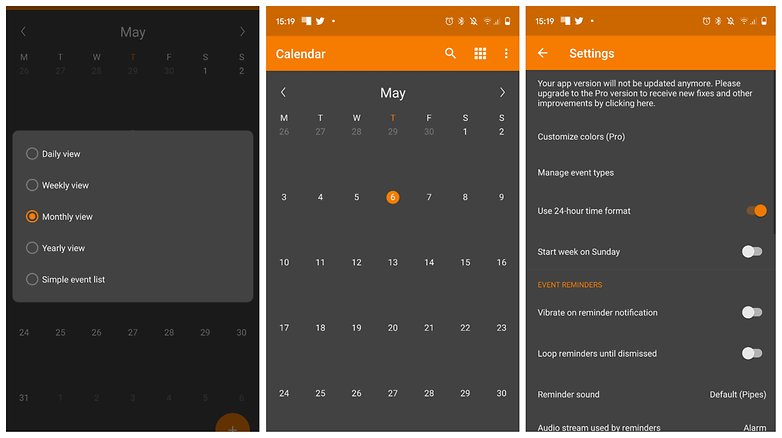
Unfortunately, only the premium version, which currently costs $0.99 in the Google Play Store, will receive bug fixes. So treat Simple Calendar more as a kind of beta version of the paid app. However, since the calendar entries are stored on the internal memory, Simple Calendar is also recommended if you value your privacy.
Calendar apps for Apple iOS
Apple Calendar
Are you looking for a powerful and easy-to-use calendar? If so, I have to recommend the native version on iOS yet again. "Apple Calendar" is directly connected to the iCloud and this provides a high degree of comfort just like you would on Google. This is because instead of the small phone screen, you can simply create appointments on the computer and be notified afterward on the go.
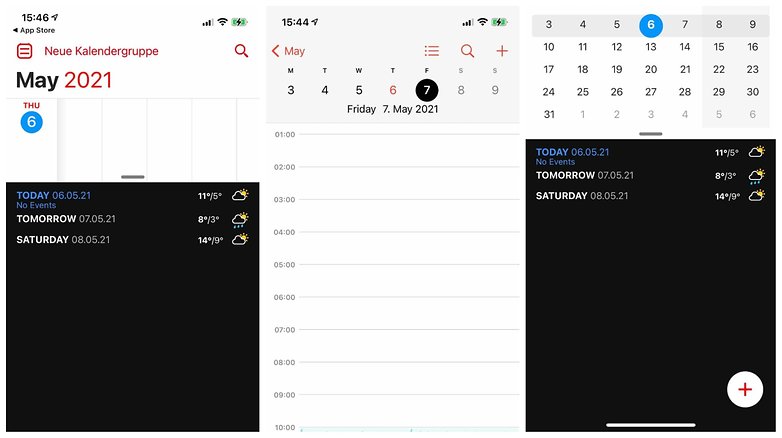
If you also use your iCloud account to receive and send mail, you can directly import appointments. The same applies to alternative email apps that you use on the iPhone or iPad. It is only typical for Apple that their Calendar app comes with pleasing aesthetics and native integration with the operating system.
To try out Apple Calendar, you don't have to do anything more than look for the app on your iPhone. It's already pre-installed and you're already logged in when you start it.
Google Calendar
We can also recommend the use of the comfortable Google ecosystem on Apple's iOS. Because with Google Calendar, apart from all the advantages mentioned above, you also have a strong cloud solution for your appointments and reminders.
I have to admit that I almost like the iOS app of Google Calendar better than the Android version. The integration into the operating system is also pretty good and you can even control the calendar via voice input or import appointments directly from the email app.
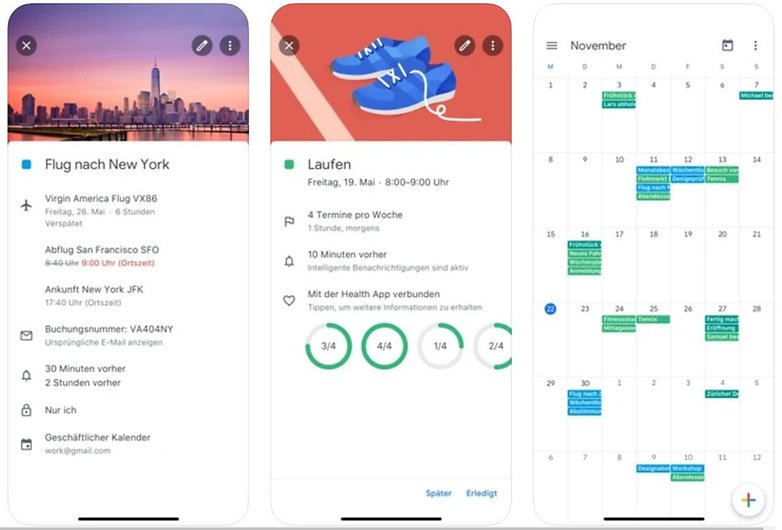
As with Android, Google Calendar is completely free and does not feature ads. However, as usual with Google, you will have to 'pay' with your data that is anonymized and passed on to the company. Doesn't that scare you off? Then follow this link:
FileCalendar
Taking 20th place among productivity apps in the App Store, you have "FileCalendar", which was developed by the German developer Homburg&Schmidt. The app isn't free, and you'll have to pay $2.99 to use it. In return, the concept is something that many users swear by in the App Store comments.
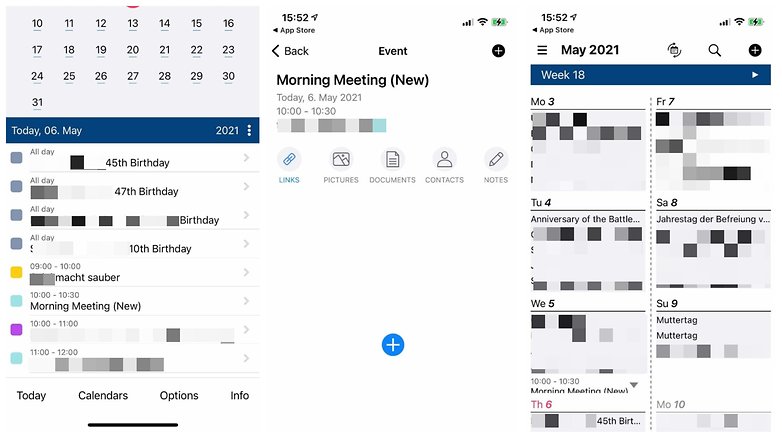
Because as the name suggests, you can easily link files with various appointments and dates. You can add your own notes to them and this seems to be a very practical feature, especially for professionals. If you have to work with certain documents from Monday to Friday, you can arrange everything nicely with FileCalendar.
There is also a direct connection to the iCloud, so you can edit the files directly on the MacBook or iPad.
You can download the Lite version of FileCalendar from the AppStore, as the full version costs $2.99.
Fantastical
On the web, you can always find the Fantastical app as a calendar recommendation for iOS. A great strength of this app is that you can link your Microsoft account, Outlook, Yahoo, and other accounts in addition to Google Calendar. Furthermore, many users have raved about the tidy user interface.
Handling is also facilitated by native voice input so that you can easily dictate appointments. As is usual with modern calendar apps, you can also jump right into video calls from an appointment, which are linked accordingly.
Fantastical is available for free on the App Store, though with version 3 the developer introduced a subscription model that includes some premium features. The subscription is not exactly cheap at $4.99 a month or $39.99 a year for a calendar app.
Timepage
Last but not least, I would like to recommend Timepage. Last but not least, it is offered by the experts from Moleskine. You probably know their calendars from bookstores - the models that usually look really good, but are too expensive for most. The app version of the calendars also features a cool style.
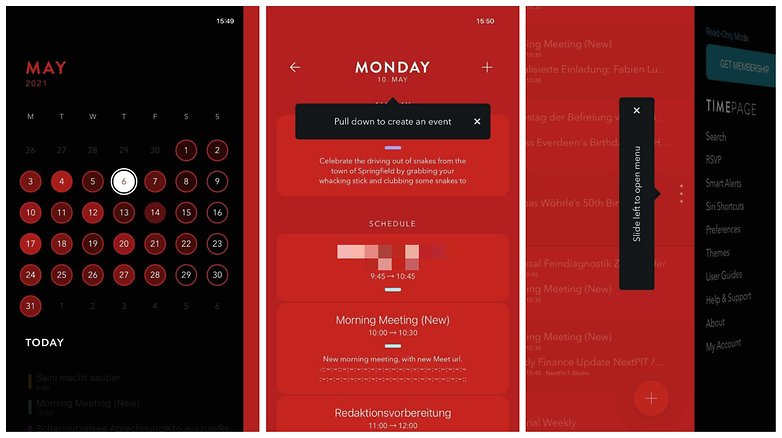
Features include a mini-app for the Apple Watch, a pretty cool heatmap showing your "workload" over a month, and of course compatibility with other calendars like iCloud, Google Calendar, or Outlook. If you're happy about the free download, though, you're unfortunately also rejoicing a bit too soon.
This is because Timepage can only be used permanently as part of a subscription. However, at $1.99 per month, the subscription is rather reasonable and far cheaper than Fantastical, for instance. You can also reduce the costs even further with an annual membership for $19.99.
More alternatives regularly on NextPit
In this article you will find a total of ten apps for iOS and Android, considering how "productivity" is extremely popular in both App Stores. That's why you'll find more calendar and scheduling apps in our Top 5 Apps of the Week every weekend. If you have any recommendations for us, please let us know in the comments.
There, you can also share your experiences with calendar apps or criticize our recommendations. We are excited to hear what tips you have for us.
This article was completely rewritten in January 2022 and supplemented with apps for iOS.




I've always used the very acceptable Samsung Calander app. It has enough features to keep me happy without the need for unnecessary levels of clutter and complexity.
nice
Nothing against the Google calendar. But there are questions about the other two applications. I would add Weeek to your article instead of a business calendar. More user-friendly interface, more useful features. There is not only a calendar, but also a whiteboard.
I've always used the very acceptable Samsung Calander app. It has enough features to keep me happy without the need for unnecessary levels of clutter and complexity.
It obviously works seemseely within the Samsung ecosystem, this is a reason why I'm reluctant to switch.
Peace 🖖
ACalender+ My Choice
Google Calendar
I don't need anything else
But I am looking for an audio player
Must be Free or Low One Time Fee
(no pop up ads bullshit)
Without doubt the best music app is Playerpro - it has a great free version and has a small fee for additional features.
I could list the many great features, but I'll let you discover them, suffice to say they are great.
Peace 🖖
-
Admin
Sep 17, 2019 Link to commentGoogle Calendar is so strictly integrated with all the other google apps, particularly gmail, that it makes it difficult to choose any other app
Good Android Calendar app list, i use Dayhaps, its very simple easy to use app
For some of you here who like to also sync your google calendar with desktop Outlook, I recommend you guys some Outlook add-in that can do the job. It is called evo collaborator for outlook. you can google it. it will make calendars both on your android phone and outlook on laptop or pc inline. it is pretty productive!
Shift Calendar is the one i use,so easy to set up and use
Good apps. I use Calendar Lite and enjoy it very much.
I use CalendarDC, 'cause it has pc version also and it can sync with google calendar.
ACalendar is my go to beets the rest
aCalendar + Best week layout of all.
I use CalenGoo which is excellent!
I am currently using SolCalendar. It's a great product with one flaw - it does not support landscape mode when running. The widgets look great in either landscape or portrait, but the program itself insists on running in portrait no matter what mode your device is in.
I use Google calendar on my iPhone and iPad only because I used it on my droid incredible and love the integration with gmail. I used various Palm devices including the Centro phone before getting the droid incredible. I have an iPhone to be able to communicate with my family who mostly have iPhones but use so many of the Google apps that it's almost like being on Android. I also find apps on the Android sites and forums that sound interesting and most have an iOS version and enables me to try them out and use them if I like them. Just saying.
Digical.
I am trying to find a calendar app that integrates Wunderlist or one of the other popular, multi-platform to-do list apps so that my tasks will show up in the daily agenda widget. Outlook does that, but there is no way to control the look of that widget. Some apps to potentially check in this thread, though.