Best offline GPS and Maps apps for Android
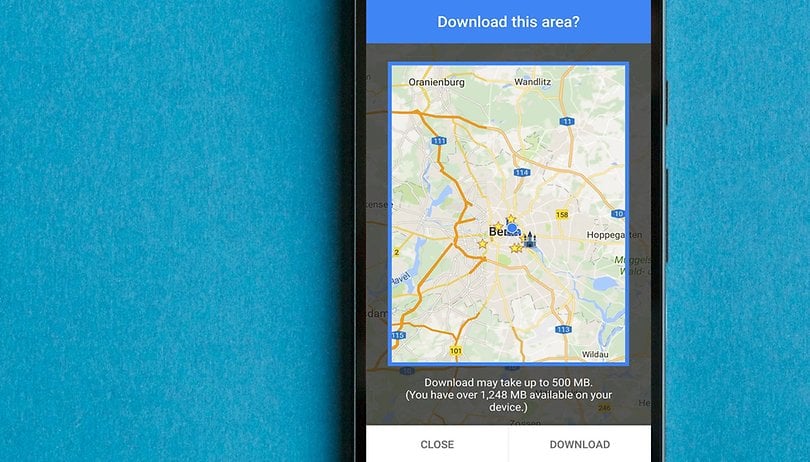

There's no shortage of Android GPS and navigation apps available on the Play Store, but not all maps are created equal. This is why we've put together a shortlist of only the best navigation and mapping apps for you to check out. Many will work offline as well as online, so you don't need to worry about having a constant data connection either, provided you plan ahead a little.
Jump to:
Google Maps
Google Maps offers such a solid array of features that many people won't need to look any further than the Android default. Along with turn-by-turn directions, multiple view options, detailed route information, live traffic updates and everything else you'd expect from a self-respecting navigation app, Google Maps really does offer nearly everything.
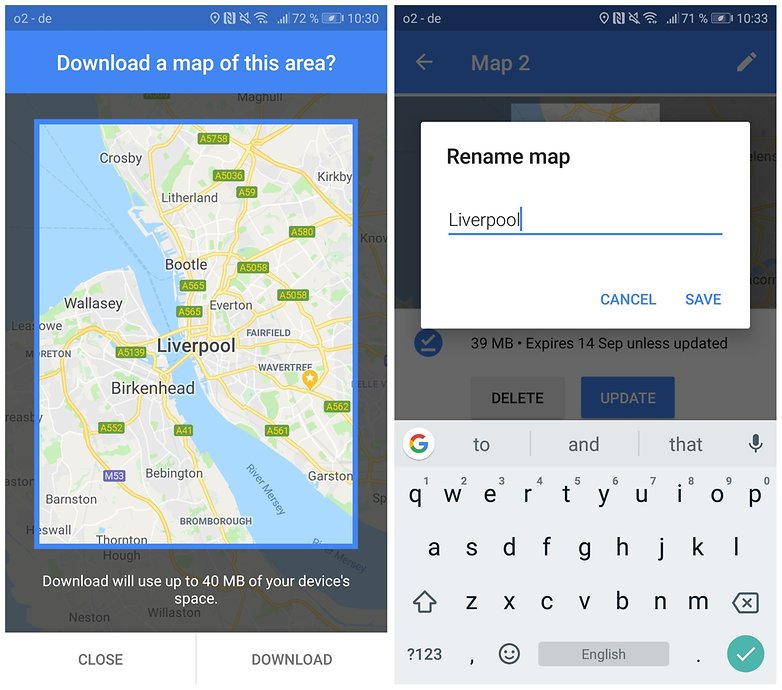
However, if you want to use it offline, you'll need to download the area maps that you want to use in advance. If you do that, you obviously don't get those traffic updates anymore though, as they require a connection. Google Maps also has the ability to download multiple areas to your phone and to use Google Maps in 'Wi-Fi only' mode when you have a spotty network connection.
It also now allows you to store maps on your external SD card, freeing up some space on your phone. If you're not driving, it offers up walking, cycling, and public transport options for getting you to your destination, as well as quotes from multiple car services.
Data-starved explorers now have even more options to use Google Maps offline with the release of Google Maps Go, a lighter version of the original app that will allow you conserve resources on your device. Even if it is not normally offered for your smartphone, you can still get Google Maps Go. Click here to find out how.
Waze
Another popular navigation app that also features offline support is Waze. Waze was so popular that Google decided to buy it. Whilst, for now at least, the two maps apps have been kept separate by the big dogs at Mountain View, some features are starting to be passed between the two services. Waze does not offer any built-in map downloading as Google Maps does, but you can still access get the job done with Waze without an internet connection. Here's the workaround.
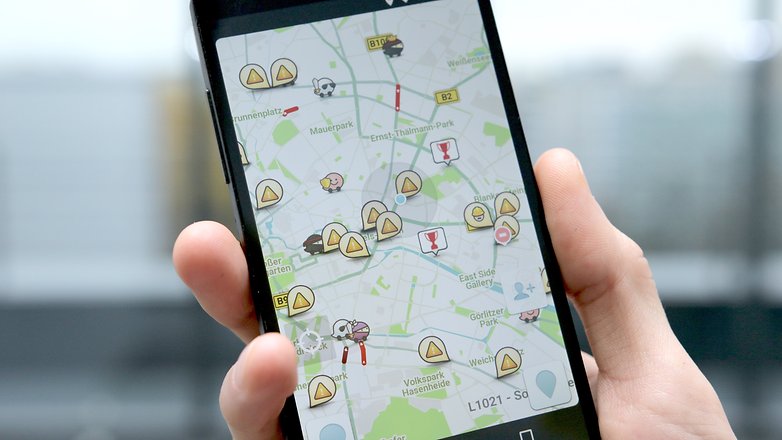
open your Waze app and press the Search icon in the bottom left-hand corner of your screen. Next, tap Settings in the top right-hand corner. Find your way over to Advanced settings and then Display & map. Scroll down a little bit until you see the option for Data transfer, then make sure Download traffic info is selected. Now, when you search for a destination or a route, you can store the route data in the app’s cache memory, and it will still work offline. Just make sure you don't close the app!
${app-com.waze}Sygic GPS Navigation & Maps
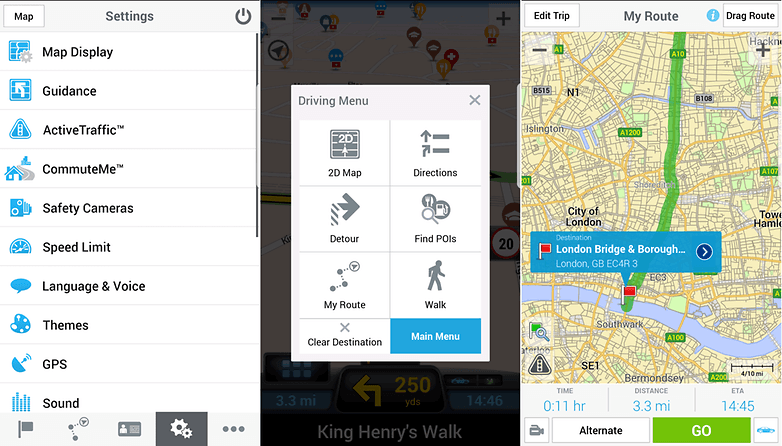
Sygic is one of the most popular offline navigation apps on Android, and with good reason. The TomTom-powered app offers high-definition maps for most countries in the world, and it's regularly updated to keep it up-to-date with the newest version of Android.
It's free to download and there's a seven-day trial, but if you want to keep using it after that you'll need to either pay for premium features and traffic updates, or just pay for the features. If you don't, what the app offers for free is considerably more basic.
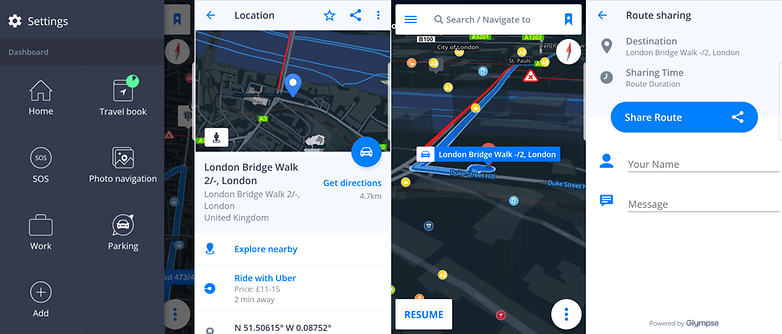
Among the key features are offline map navigation, voice-activated GPS with route guidance, 3D mapping and imagery, dynamic lane assistance and the option to project your GPS navigation onto the windshield of your car.
Throw in some robust routing options, SOS mode, parking info and more than a million POIs to navigate to and Sygic is a strong contender for best offline GPS. It's also now been integrated with Glympse, if you want to share your route or ETA with friends.
CoPilot GPS
CoPilot's GPS app is just for drivers, but if that's what you need, then it's almost certainly got the features you're looking for. However, they don't come for free. Well, they do, but only for seven days - after that, you'll need to pay for a Premium subscription to keep access to all the features.
If you don't want to, you can still use offline mapping and turn-by-turn navigation for free, but you only get the 2D version of the maps, and you'll be missing a few other key components too. Premium users get 3D mapping. In the full version of the app, there sheer variety of customizable route and alert options is impressive, if potentially a little overwhelming for some. There is actually an option for using walking routes, but it's not the primary purpose of the app, and as such, not really what it's best at.
The breadth of full street-level maps for offline download will be what appeals to many people, though you'll need to purchase additional countries individually, or in a pack like 'whole of Europe', for example. If you purchase a map, you also get 12-months free access to CoPilot's live 'ActiveTraffic' service.
If you need to purchase multiple maps for driving in different countries around the world, CoPilot could get expensive, but for most regular users it's not going to break the bank too much in comparison to a standalone sat-nav unit. It's considerably more expensive than free alternatives, though.
TomTom GO
At this point, TomTom is a venerable player in the navigation industry, and while the company might not be spending as much time focused on its standalone GPS units nowadays, that doesn't mean it isn't honing the rest of its business. What this means to you is an up-to-date mapping service with pedigree in getting people from A to B and a multitude of routing options. As with others though, if you want that unfettered list of options, you'll need to hand over some real cash.
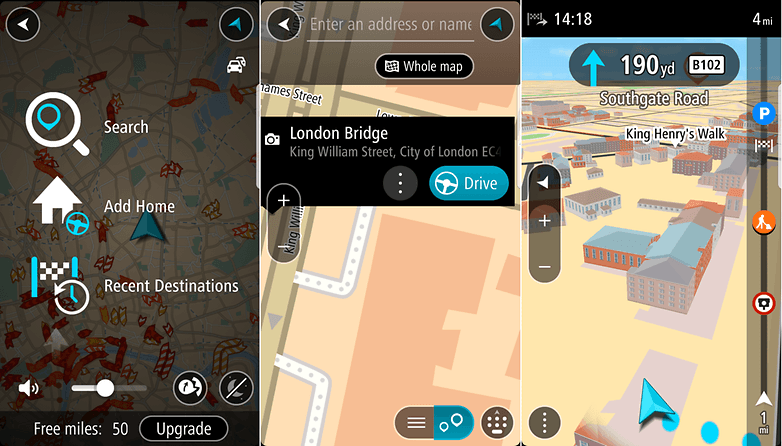
To start with, you get 50 miles of use with full features, including live traffic information - if you want to get unlimited mileage for a year, you'll need to pay to upgrade. The price varies around the world, but in the US it's currently $19.99 for one year and $44.99 for a three-year subscription.
Along with voice guidance, offline routing, live traffic updates and full 3D building imagery, maps are available for over 100 countries, too.
MAPS.ME
MAPS.ME is designed with offline functionality in mind. The navigational app boasts comprehensive coverage of areas all over the world, offline search and GPS navigation. Business, services and various points of interests are also market throughout.
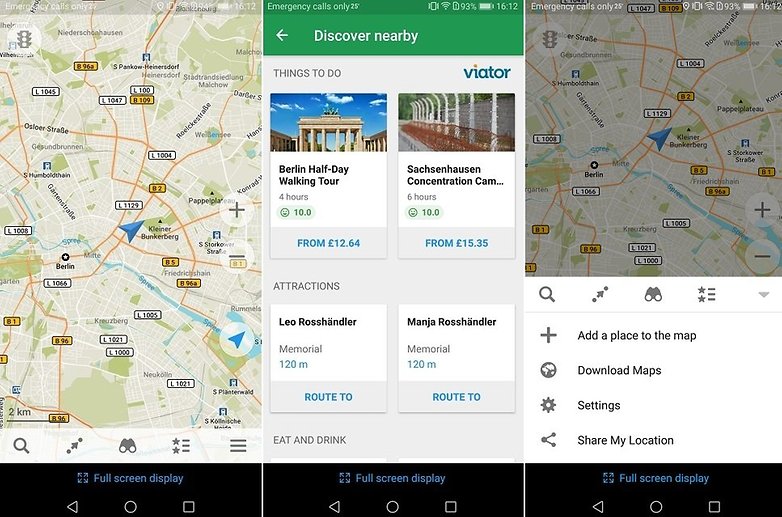
The app is updated daily by the OpenStreetMap community. The contributors to the open source project make sure that MAPS.ME stays fresh. Although MAPS.ME is free to download (and has pledged to always remain so), it does contain ads.
${app-com.mapswithme.maps.pro}MapFactor GPS Navigation Maps
MapFactor GPS has no online map function, but it's great for offline navigation. First, you'll have to download maps while you still have internet, of course. Once the maps are downloaded, you can search them manually or ask for directions by using the Navigate tool, which also has some extra features such as a live odometer, route simulation, and route replays.
MapFactor offers more than 200 individual maps to choose from, with over half being in Europe and the Americas. The maps are organized by country, but densely populated areas have sub-regions available. Some maps even come with the location of speed cameras - handy information for drivers! The map data itself is pulled from OpenStreetMap.
What's your favorite offline GPS and sat-nav app? Let us know in the comments below!
This article has been rewritten since first publication. Comments below may not reflect current content.















I like HERE maps - simple and accurate.
Sygic rules them all
Very frequent updates an highly accurate maps
-
Admin
Aug 11, 2019 Link to commentGoogle maps, once you have downloaded your map.
Hi, Do you know if those apps would work on a 2 din car radio unit ? Every time I read reviews for offline maps its always for android /ios phones. Thanks a lot.
BEST
Jacques Montel
I am not sure why you have not included HERE maps in the top list. It is very well maintained and upto date, has a lot of features and is great offline. I would rank it up with Google Maps easily.
I am using HERE maps primarily (probably obvious :) ), but I do use Google Maps at times also.
Google Maps has announced it will show the charging stations for electric cars as well as the number of free seats available at a time. This is a very fine thing for the owners of such cars.
Personally, I use Waze and Google Maps, which I am fully satisfied with.
Sygic World Plus Traffic Lifetime Premium user.
I been using MAP.ME for years in the Philippines it works great. Off line maps is essential here with all the dead areas you have to travel through and to.
Been using CoPilot for years.
Best GPS Routing app
You can find everything on Maps
Download and test it,you will find it best of all
Please review it and give your kind suggestions
Give us a clue as to which one!!
Which one?
Have been using Copilot with NA maps for quite a while now and while it isn't as up to date as Google maps when it comes to construction and detours, it is a very solid app and does a great job getting you from point A to B using the phone's GPS antenna. Lots of POIs. The only neg I have is that they supposedly update maps several times a year, but they seem to miss a lot of new construction, new streets and new developments. Despite being a bit behind with some of the new map locations, I am very satisfied with this app.
Here Maps and OsmAnd are best. :-)
Radhe Radhe..... Hare Krishna
My new favorit is MapFactor Navigator. HD traffic, OSM or TomTom maps.
Googe offline maps continue to disappoint as compared with the online service, which is clearly the best. The offline maps are far more limited in information, and completely expire every month or so, so that any traveler without fast, reliable internet downloads constantly available risks losing the maps, and is much better off with a permanent OSM (Open Street Maps) client, even if not the current one. I personally adopted OSMAnd some years ago, it's interface radically improved with v.2 so won't bother with the learning curve for anything else - but any good OSM client will beat the pants off Google Maps offline. Google Maps users should install a good OSM client for backup in case they forget or can't find bandwidth to update Google's crummy offline service.
I use maps.me. I very satisfied with this free app (offline).
I use paper maps. I never run out of data that way
I personally use Google Maps (offline) and Waze (online), which I am happy with. I will try other applications, presented here in the article, because I like to test. Excellent article.
I found very simple, free app which locates other cell phone depending which source is available! If GPS is off, it's uses WiFi or if it's offline uses cell tower...awsome app, if cell is not on the internet you will receive SMS text with location data...
It's on Amazon app store and try search offline locations or without gps askLocation is the name off app