Android 6 Marshmallow: update overview for smartphones and tablets

Will your smartphone or tablet get the Android update to Android 6 Marshmallow? Despite Android 7 Nougat having been officially released in mid 2016, smartphone manufacturers are still pushing out Android Marshmallow updates. We've created a helpful overview for the most popular and most used Android devices to let you know if and when your smartphone will get the next Android update.
Device overview
| Asus | Huawei | Oppo |
| Blackberry | Lenovo | Samsung |
| LG | Sony | |
| Honor | Motorola | Xiaomi |
| HTC | OnePlus |
Asus
Asus had a trend over the past year that a large portion of their devices which were running on Android Kitkat (and lower) did not receive an update to Android Lollipop. It seems like that trend continues, as quite a few those lucky devices that received the Android Lollipop or were released with them, won't be getting the Android Marshmallow update.
While it seems like Asus won't be rolling out any more Android Marshmallow updates any time soon - with Android Nougat being fully released and Android O(reo) having been released as a developer preview - there is still hope for some Asus devices.
Asus Android Marshmallow update overview
| Device | Issued Android Version | Current Android Version | Planned Marshmallow Update |
|---|---|---|---|
| Asus PadFone S | 4.4.2 | 4.4.2 | 6.0 |
| Asus Zenfone 5 | 4.3 | 5.0.2 | N/A |
| Asus Zenfone 6 | 4.3 | 5.0.2 | N/A |
| Asus Zenfone 2 | 5.0 | 6.0 | TBA |
| Asus Zenfone 3 | 6.0.1 | 6.0.1 | N/A |
| Asus Zenfone 2 Deluxe | 5.0 | 6.0 | TBA |
| Asus Zenfone 2 Laser | 5.0 | 6.0 | TBA |
| Asus Zenfone Go | 5.1 | 5.1 | TBA |
| Asus Zenfone Zoom | 5.0 | 5.0 | TBA |
| Asus Zenpad S 8.0 | 5.0 | 5.0 | TBA |
| Asus Zenpad 10 | 5.0 | 5.0 | TBA |
Blackberry
Blackberry launched its first Android smartphone, the Blackberry Priv, in November 2015. It was a noticeable departure from its Blackberry OS and was seen by many as a last attempt to claw back some of its lost market share. Following the up on the positive reception, Blackberry decided to launch the Blackberry DTEK 50 - a modified and rebranded version of the Alcatel Idol 4 in July 2016. While the hardware received positive reviews, the software was criticized for containing redundant blackberry security features which were already included in the Android OS. Blackberry decided to throw another Android based device on the market in October 2016, the Blackberry DTEK 60, this time including a fingerprint scanner on the back. Both the Blackberry DTEK 50 and the DTEK 60 were launched with Android 6.0.1 Marshmallow, though there is no word of any updates in the near future.
Blackberry Android Marshmallow update overview
| Device | Issued Android version | Current Android version | Planned Marshmallow update |
|---|---|---|---|
| Blackberry Priv | 5.1.1 | 5.1.1 | TBA |
| Blackberry DTEK 50 | 6.0.1 | 6.0.1 | N/A |
| Blackberry DTEK 60 | 6.0.1 | 6.0.1 | N/A |
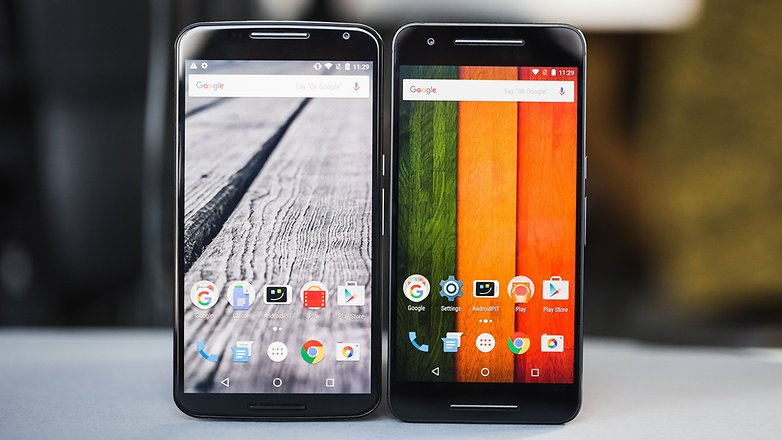
The entire Nexus family received the Lollipop update up to Android 5.1.1, and all bar the Nexus 4, 7 (2012) and 10 have now progressed onto Android 6.0 Marshmallow and Android 7.0 Nougat. Following the unofficial tradition, with the release of Android Marshmallow, Google launched two new Android Flagships. In collaboration with Huawei, Google unveiled the Nexus 5X and Nexus 6P in September 2015.
One of the perks of Nexus phones is that you can download factory images for the latest, as well as earlier, Android versions from the official Google Developers' site.
Just click the link above, then scroll down until you find your Nexus device and download the version you want. Factory images generally appear before OTA (over the air) updates – but not always – so if you're feeling impatient you can download the latest Android version manually.
Click through to the link below for a more detailed and comprehensive overview of the latest Nexus Android updates
Google Nexus Android Marshmallow update overview
| Device | Issued Android version | Current Android version | Planned Marshmallow update |
|---|---|---|---|
| Nexus 4 | 4.2 | 5.1.1 | No |
| Nexus 5 | 5.0 | 6.0 | N/A |
| Nexus 5X | 6.0 | 7.1.1 | N/A |
| Nexus 6 | 5.0 | 7.1.1 | N/A |
| Nexus 6P | 6.0 | 7.1.1 | N/A |
| Nexus 7 | 5.0 | 5.1.1 | No |
| Nexus 7 (2013) | 4.1.2 | 6.0 | N/A |
| Nexus 9 | 4.3 | 7.1.1 | N/A |
| Nexus 10 | 4.2 | 5.1.1 | No |
| Nexus Player | 5.1 | 7.0 | N/A |
| Nexus Pixel C | 6.0.1 | 7.1.2 | N/A |
Honor
Huawei Honor, or simply Honor, appeared on the market as a sub-brand of the Chinese smartphone company Huawei. While initially the Honor series was designed, built and marketed by Huawei, Honor has been carving out its own niche in the Android smartphone market. Today, Honor can be seen as its own distinct brand and has managed to gather a large following thanks to its unique smartphones.
Honor Android Marshmallow update overview
| Device | Issued Android version | Current Android version | Planned Marshmallow update |
|---|---|---|---|
| Honor Holly | 4.4.2 | 4.4.2 | No |
| Honor Bee | 4.4.2 | 4.4.2 | No |
| Honor 3C | 4.2.2 | 4.2.2 | No |
| Honor 4C | 4.4.2 | 6.0 | TBA |
| Honor 4X | 4.4.2 | 5.0 | 6.0 |
| Honor 5C | 6.0 | 6.0 | TBA |
| Honor 5X | 5.1.1 | 6.0.1 | N/A |
| Honor 6 | 4.4.2 | 5.1.1 | No |
| Honor 7 | 5.0 | 6.0 | TBA |
| Honor 8 | 6.0 | 7.0 | N/A |
HTC
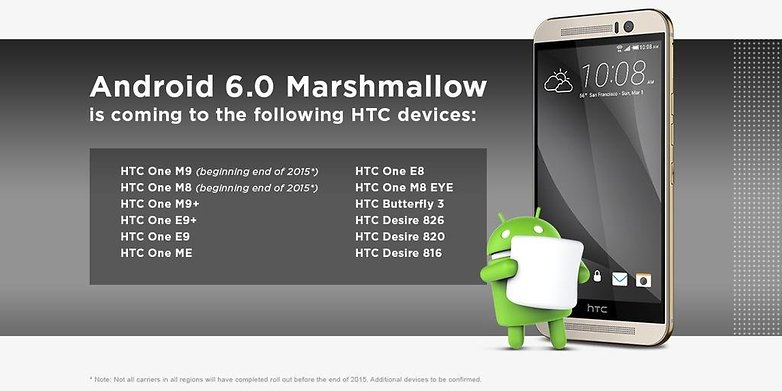
Thanks to the official HTC Twitter account, we received a confirmed list of HTC devices which were planned to receive Android Marshmallow. Though the Android 6.0 update was scheduled to roll out at the end of 2015 for the HTC One M9 and HTC One M8, the fine print notes that not all carriers would be able to deliver it.
In January 2016, HTC One M9 owners in Canada began seeing Marshmallow roll out. Elsewhere, HTC One M8 owners on Sprint in the US also began receiving the update, while T-Mobile has scheduled the release for January 25 2016. In mid-March 2016, HTC began rolling Marshmallow out to the HTC One E8 and M8 EYE.
HTC Vice President of Product Management Mo Versi confirmed via Twitter that the HTC One M8 GPE will receive Android Marshmallow sometime in October 2016. GPE (Google Play Edition) phones were originally designed to offer a pure Android experience on non-Nexus devices, and were second in line only to Nexus phones when it came to Android updates, but they've been dying out lately. HTC given its Google Play Edition device a little breath of life with this Android update. HTC also confirmed that the HTC One M7 would not receive Marshmallow because it is now more than two years old and outside of the update window.
HTC Android Marshmallow update overview
| Device | Issued Android version | Current Android Version | Planned Marshmallow update |
|---|---|---|---|
| HTC One Mini | 4.2.2 | 4.4.2 | No |
| HTC One Mini 2 | 4.4.2 | 4.4.2 | No |
| HTC Desire Eye | 4.4.4 | 6.0.1 | N/A |
| HTC One M7 | 4.1.2 | 5.0 | No |
| HTC One M8 | 4.4.2 | 6.0 | TBA |
| HTC One M9 | 5.0 | 7.0 | N/A |
| HTC One M9+ | 5.0.2 | 5.0.2 | 6.0 |
| HTC One Max | 4.3 | 5.0 | TBA |
| HTC 10 | 6.0.1 | 7.0 | N/A |
| HTC Desire 626s | 5.1.1 | 6.0.1 | N/A |
| HTC Desire 816 | 4.4.2 | 6.0 | TBA |
| HTC Desire 820 | 4.4.2 | 6.0.1 | N/A |
| HTC One A9 | 6.0 | 7.0 | N/A |
| HTC Desire 530 | 6.0 | 6.0 | TBA |
| HTC one M8s | 5.0 | 5.0 | TBA |
| HTC Desire 826 | 5.0.1 | 6.0.1 | N/A |
Huawei
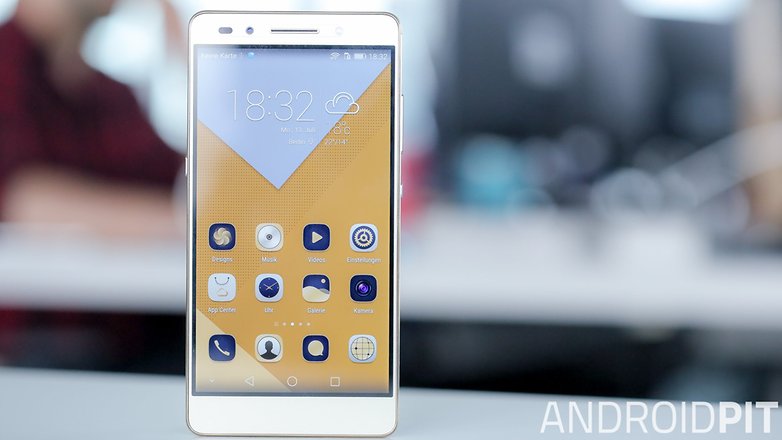
On October 28 2016, it was reported that Marshmallow beta testing would begin on the Honor 7 by mid to end November 2016.
A tweet from the Indian Honor Twitter page confirmed that Honor customers would begin receiving the latest Android update in February 2017. It lists the Honor 4c, 4x, 6, 6 Plus and 7 as the devices set to receive the new OS.
Coming soon! Starting February 2016, we will be rolling out Android M to honor phones. pic.twitter.com/BN3gwPqs6g
— Honor India (@HiHonorIndia)
November 1, 2015
A tweet from Honor's US Twitter account suggests that Android 6.0 Marshmallow is on its way to the Honor 5X very soon but it failed to give any specific information. Keep your eyes peeled.
It's sweet. It's fluffy. And it's coming soon to Honor 5x. #YouReady? pic.twitter.com/uUI06QlMAm
— Honor USA (@Honor_USA) April 22, 2016
Huawei has also published a list of devices that are set to get Marshmallow. The rollout started in November 2016, but lasted into 2017.
Huawei Android Marshmallow update overview
| Device | Issued Android version | Current Android Version | Planned Marshmallow update |
|---|---|---|---|
| Huawei Ascend P7 | 4.4.2 | 5.1.1 | TBA |
| Huawei Ascend G7 | 4.4.2 | 4.4.2 | 6.0 |
| Huawei G8 | 5.1 | 6.0 | TBA |
| Huawei Ascend Mate 7 | 4.4.2 | 5.1.1 | 6.0 |
| Huawei Mate 8 | 6.0 | 7.0 | N/A |
| Huawei Mate S | 5.1.1 | 5.1.1 | 6.0 |
| Huawei P8 | 4.4.2 | 5.0.2 | 6.0 |
| Huawei P8 Lite | 5.0.2 | 6.0 | TBA |
| Huawei P9 | 6.0 | 7.0 | N/A |
| Huawei P9 Lite | 6.0 | 6.0 | N/A |
| Huawei P9 Plus | 6.0 | 7.0 | N/A |
| Huawei Enjoy 5s | 5.1.1 | 5.1.1 | TBA |
Lenovo
At the time of the Android Lollipop release, Lenovo wasn't the biggest or most well known Android OEM in the US market. Nevertheless, Lenovo had shipped out quite a handful of devices for the US and international markets. While a large bulk of these devices received an update to Android Lollipop, the same cant be said about Android Marshmallow. Check out the list below and see if your Lenovo smartphone was due to receive the Android Marshmallow update.
Lenovo Android Marshmallow update overview
| Device | Issued Android Version | Current Android Version | Planned Marshmallow update |
|---|---|---|---|
| Lenovo K3 Note | 5.0.2 | 6.0 | TBA |
| Lenovo Vibe K4 Note | 5.1.1 | 6.0 | TBA |
| Lenovo Vibe K5 Note | 5.1 | 5.1 | TBA |
| Lenovo Vibe K5 Plus | 5.1 | 5.1 | TBA |
| Lenovo Vibe X3 | 5.1 | 5.1 | TBA |
| Lenovo Vibe P1m | 5.1 | 5.1 | TBA |
| Lenovo A1000 | 5.0 | 5.0 | TBA |
| Lenovo A2010 | 5.1 | 5.1 | TBA |
| Lenovo A5000 | 4.4.2 | 5.0.2 | TBA |
| Lenovo A6010 | 5.0 | 5.0 | TBA |
| Lenovo A7000 | 5.0.2 | 6.0 | TBA |
| Lenovo ZUK Z1 | 5.1.1 | 5.1.1 | 6.0 |
LG
After Google, LG was the first company to update one of its devices to Marshmallow. LG G4 users in Poland began receiving the update in October 2016, but there were some technical difficulties and the test was halted. In late November, however, users across Europe began reporting that the Android Marshmallow update was beginning to arrive on their devices. You can check if your device is part of the rollout using LG Bridge, the company's PC sync software.
In November 2016, LG made the Marshmallow update available to LG G4 owners in Korea, making the company's home nation the second to receive the update. The software was uploaded to LG's website, which enabled customers to apply the update via their computers.
T-Mobile listed the LG G3, LG G4 and LG G Stylo among those devices set to receive Android Marshmallow in the first wave of updates.
LG Android Marshmallow update overview
| Device | Issued Android Version | Current Android Version | Planned Marshmallow Update |
|---|---|---|---|
| LG G2 | 4.2.2 | 5.0.2 | TBA |
| LG G2 Mini | 4.4.2 | 4.4.2 | N/A |
| LG G3 | 4.4.2 | 6.0 | TBA |
| LG G4 | 5.1.1 | 6.0 | N/A |
| LG G5 | 6.0.1 | 7.0 | N/A |
| LG G Flex 2 | 5.0.1 | 6.0.1 | N/A |
| LG G Stylo | 5.0 | 6.0 | TBA |
| LG G Stylo 2 | 6.0 | 6.0 | TBA |
| LG G Stylus 2 Plus | 6.0 | 7.0 | N/A |
| LG K7 | 5.1 | 5.1 | TBA |
| LG K8 | 6.0 | 6.0 | TBA |
| LG K10 | 5.1.1 | 6.0 | TBA |
| LG V10 | 5.1.1 | 6.0 | TBA |
| LG G Pad 7.0 | 4.4.2 | 5.0 | TBA |
Motorola
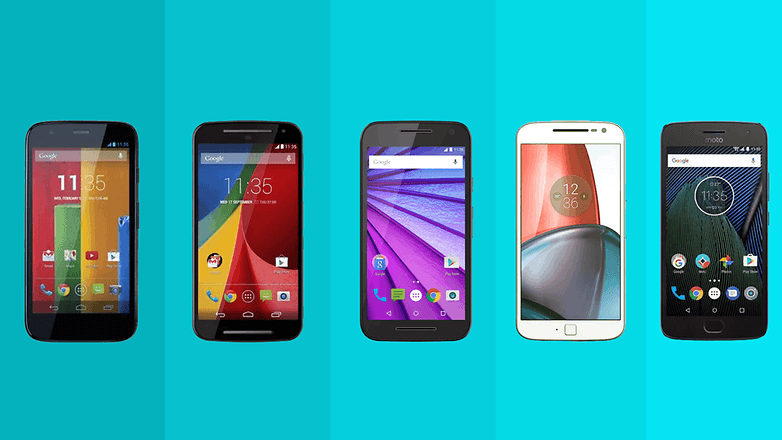
David Schuster of Motorola used Google+ to announce the roll out of Android Marshmallow for the Moto X (2014) and Moto X Pure Edition. Moto X (2014) owners in Brazil and Moto X Pure Edition owners in Brazil and India were the first to receive the update, with a global release having followed up int he weeks after.
Motorola had also revealed its current list of Motorola phones that are in line for the Android Marshmallow update.
In early December 2016, Motorola added the Moto E (2015) to its list of devices set to receive Marshmallow, although only selected regions would receive the update. The US was excluded from the list. Find out more information from Motorola.
Click the link bellow for a more detailed and comprehensive overview of the latest Android Updates for the Moto G Line
Motorola Android Marshmallow update overview
| Device | Issued Android version | Current Android Version | Planned Marshmallow Update |
|---|---|---|---|
| Motorola Moto G | 4.3 | 5.1.1 | No |
| Motorola Moto G (2nd Gen.) | 4.4.4 | 6.0 | TBA |
| Motorola Moto G (3rd Gen.) | 5.1.1 | 6.0 | TBA |
| Motorola Moto G4 | 6.0.1 | 7.0 | N/A |
| Motorola Moto G4 Play | 6.0.1 | 7.0 | N/A |
| Motorola Moto E | 4.4.2 | 5.1 | No |
| Motorola Moto E (2nd Gen.) | 4.4.4 | 6.0 | TBA |
| Motorola Moto X | 4.4.2 | 5.1 | TBA |
| Motorola Moto X (2nd Gen.) | 4.4.4 | 6.0 | TBA |
| Motorola Moto X Play | 5.1.1 | 6.0 | TBA |
| Motorola Maxx | 4.4.4 | 6.0.1 | N/A |
| Motorola Droid Maxx 2 | 5.1.1 | 6.0 | TBA |
| Motorola Moto Droid Turbo | 4.4.4 | 6.0 | TBA |
| Motorola Moto Droid Turbo 2 | 5.1.1 | 7.0 | N/A |
| Motorola Moto X Pure / Style | 5.1.1 | 6.0 | TBA |
| Motorola Moto Z | 6.0.1 | 7.0 | N/A |
| Motorola Moto Z Play | 6.0.1 | 7.0 | N/A |
OnePlus
OnePlus CEO Carl Pei unveiled the Android 6.0 Marshmallow update plans for the OnePlus One, OnePlus 2 and OnePlus X in November 2015 in the official OnePlus forum. According to the post, the OnePlus one should receive the marshmallow update (in the form of the Cyanogen OS 13) in the first quarter of 2016. Only after that update, will Oxygen OS be adapted for Android Marshmallow.
A public beta of Oxygen OS 3.0 (which is based on Android 6.0.1 Marshmallow) has been available for the OnePlus 2 since the end of March, 2016. OnePlus does not call this pre-release a beta, but community build instead. Note that this is not a final version and the update may contain bugs and errors. OnePlus wants to use this public test to find the last serious bugs in cooperation with the users of OnePlus 2, in order to eliminate them as quickly as possible. If you want to participate in this test, you can download Community Build on the OnePlus website and flash them on your OnePlus 2.
OnePlus Android Marshmallow update overview
| Device | Issued Android Version | Current Android Version | Planned Marshmallow update |
|---|---|---|---|
| OnePlus One | 4.4.2 | 6.0.1 | N/A |
| OnePlus 2 | 5.1 | 6.0.1 | N/A |
| OnePlus X | 5.1.1 | 6.0.1 | N/A |
| OnePlus 3 | 6.0.1 | 7.1.1 | N/A |
| OnePlus 3T | 6.0.1 | 7.1.1 | N/A |
Oppo
Sadly, most of Oppos smartphones are still waiting for an update to Android Marshmallow. From its current lineup, Only the Oppo F1s has received an Android update to Android 6.0 Marshmallow.
Oppo Android Marshmallow update overview
| Device | Issued Android Version | Current Android Version | Planned Marshmallow update |
|---|---|---|---|
| Oppo F1s | 5.1 | 6.0 | TBA |
| Oppo F1 | 5.1 | 5.1 | TBA |
| Oppo A33 | 5.1 | 5.1 | TBA |
| Oppo A37 | 5.1 | 5.1 | TBA |
Samsung
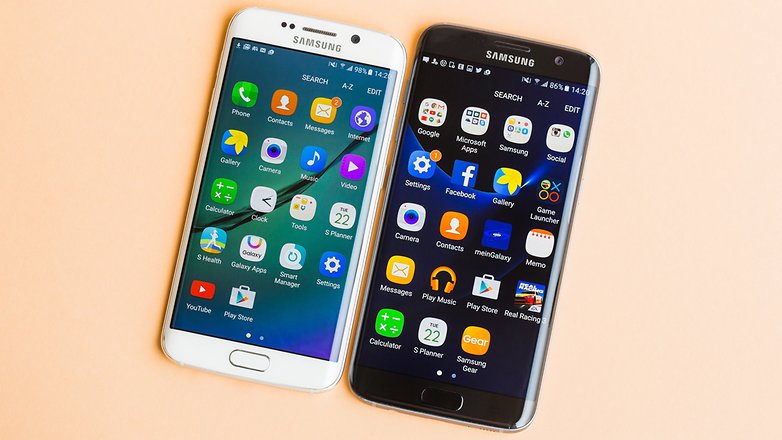
The Samsung Galaxy S6 and S6 Edge began receiving Marshmallow on February 15, 2016. The Samsung Galaxy S7 and S7 Edge began getting minor updates starting April 11, 2016. These brought touch features for the screen and adjustments to the camera settings. These updates will only come to certain regions.
The Galaxy Note 5 Android Marshmallow update began rolling out on March 24, 2016 for Sprint customers. The completion of the rollout will conclude on April 8. Verizon and AT&T customers already started seeing this update at the beginning of March. This came later than the original rumors discussed below, which gave us a date of February 2016. The Samsung Galaxy A5 (2016) saw the roll out begin in June 2016 and is, by now, complete.
Click the link bellow for a more detailed and comprehensive overview of the latest Android Updates for the Samsung Galaxy A series
Samsung Android Marshmallow update overview
| Device | Issued Android Version | Current Android Version | Planned Marshmallow update |
|---|---|---|---|
| Samsung Galaxy A3 | 4.4.4 | 6.0.1 | N/A |
| Samsung Galaxy A5 | 4.4.4 | 6.0.1 | N/A |
| Samsung Galaxy A5 (2016) | 5.1.1 | 6.0.1 | N/A |
| Samsung Galaxy Alpha | 4.4.4 | 5.0.2 | No |
| Samsung Galaxy Grand Prime | 4.4.4 | 5.1 | No |
| Samsung Galaxy J2 (2015) | 5.1.1 | 5.1.1 | No |
| Samsung Galaxy J2 (2016) | 6.0.1 | 6.0.1 | N/A |
| Samsung Galaxy J5 | 5.1 | 6.0.1 | N/A |
| Samsung Galaxy J5 (2016) | 6.0.1 | 6.0.1 | N/A |
| Samsung Galaxy J7 | 5.1 | 6.0.1 | N/A |
| Samsung Galaxy J7 (2016) | 6.0.1 | 6.0.1 | N/A |
| Samsung Galaxy Note 3 | 4.3 | 5.0 | No |
| Samsung Galaxy Note 4 | 4.4.4 | 6.0.1 | N/A |
| Samsung Galaxy Note 5 | 5.1.1 | 6.0.1 | N/A |
| Samsung Galaxy Note Edge | 4.4.4 | 6.0 | TBA |
| Samsung Galaxy S3 Neo | 4.3 | 4.4.4 | No |
| Samsung Galaxy S4 | 4.2.2 | 5.0.1 | No |
| Samsung Galaxy S4 Mini | 4.2.2 | 4.4.2 | No |
| Samsung Galaxy S5 | 4.4.2 | 6.0 | TBA |
| Samsung Galaxy S5 Active | 4.4.2 | 6.0.1 | N/A |
| Samsung Galaxy S5 Neo | 5.1.1 | 6.0.1 | N/A |
| Samsung Galaxy S5 Mini | 4.4.2 | 5.1.1 | No |
| Samsung Galaxy S6 | 5.0.2 | 7.0 | N/A |
| Samsung Galaxy S6 Active | 5.0.2 | 6.0.1 | N/A |
| Samsung Galaxy S6 Edge | 5.0.2 | 7.0 | N/A |
| Samsung Galaxy S6 Edge Plus | 5.1.1 | 7.0 | N/A |
| Samsung Galaxy S7 | 6 | 7.0 | N/A |
| Samsung Galaxy S7 Active | 6 | 7.0 | N/A |
| Samsung Galaxy S7 edge | 6 | 7.0 | N/A |
| Samsung Galaxy Tab A 9.7 | 5 | 6.0.1 | N/A |
| Samsung Galaxy Tab S 10.5 | 4.4.2 | 6.0.1 | N/A |
| Samsung Galaxy Tab S2 9.7 | 5.0.2 | 7 | N/A |
Sony
Sony announced on March 7, 2016 that the roll out of Marshmallow has begun for the Xperia Z5 series, the Z4 Tablet and the Z3+. The announcement was made via Sony's Xperia News Twitter page. The rollout was staggered, with different locations receiving the update at different times. Sony had also released an official list of devices which were set to receive the Android Marshmallow updates.
The Xperia Z5 Marshmallow update did include some features like Stamina Mode, which was previously rumored to be on the update and will instead be in a later update. Some interesting features were added, like a podcast widget and camera mode switching through swiping. In mid-July 2016, Sony began updating the Xperia M5 and M4 Aqua to Marshmallow.
Sony Android Marshmallow update overview
| Device | Issued Android Version | Current Android Version | Planned Marshmallow update |
|---|---|---|---|
| Sony Xperia C3 | 4.4.2 | 5.0.2 | No |
| Sony Xperia C4 | 5.0 | 6.0 | TBA |
| Sony C5 Ultra | 5.0 | 6.0 | TBA |
| Sony Xperia E5 | 6.0 | 6.0 | TBA |
| Sony Xperia M2 | 4.3 | 5.1 | No |
| Sony Xperia M4 Aqua | 5.0.1 | 6.0.1 | N/A |
| Sony Xperia M5 | 5.0.1 | 6.0.1 | N/A |
| Sony Xperia X | 6.0.1 | 6.0.1 | N/A |
| Sony Xperia XA | 6.0.1 | 6.0.1 | N/A |
| Sony Xperia XA Ultra | 6.0.1 | 6.0.1 | N/A |
| Sony Xperia Z | 4.1.2 | 5.1.1 | No |
| Sony Xperia Z ULTRA | 4.2 | 5.1 | No |
| Sony Xperia Z1 | 4.2 | 5.1 | No |
| Sony Xperia Z1 COMPACT | 4.3 | 5.1 | No |
| Sony Xperia Z1 S | 4.3 | 5.1 | No |
| Sony Xperia Z2 | 4.4.2 | 6.0 | TBA |
| Sony Xperia Z3 | 4.4.4 | 6.0 | TBA |
| Sony Xperia Z3 COMPACT | 4.4.4 | 6.0 | TBA |
| Sony Xperia Z3+ | 5.0.1 | 6.0.1 | N/A |
| Sony Xperia Z3V | 4.4.4 | 5.1.1 | No |
| Sony Xperia Z5 | 5.1.1 | 7.0 | N/A |
| Sony Xperia Z5 COMPACT | 5.1.1 | 7.0 | N/A |
| Sony Xperia Z5 Premium | 5.1.1 | 7.0 | N/A |
| Sony Xperia ZL | 4.1.2 | 5.1.1 | No |
| Sony Xperia ZR | 4.1.2 | 5.1.1 | No |
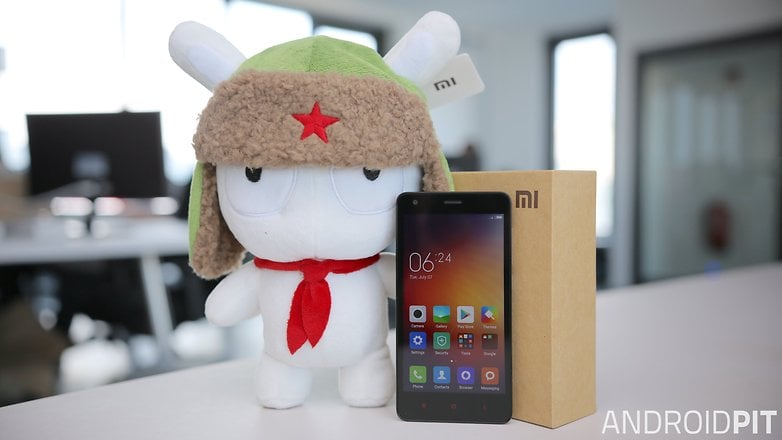
Xiaomi
Xiaomi confirmed that Marshmallow was on its way to the Mi 4 and Mi Note. A full release was proceeded by a beta program, which determined how promptly the final software update was rolled out.
There's no word on whether Marshmallow will be heading to any of Xiaomi's other devices, but at the very least you can expect to see the update come to the Xiaomi Redmi Note 2, Redmi 2, Redmi 2 Prime and Mi 4i at some point in the future.
Xiaomi Android Marshmallow update overview
| Device | Issued Android Version | Current Android Version | Planned Marshmallow update |
|---|---|---|---|
| Xiaomi Mi 4 | 4.4.3 | 6.0.1 | N/A |
| Xiaomi Mi 4c | 5.1.1 | 7.0 | N/A |
| Xiaomi Mi 4i | 5.0.2 | 5.0.2 | No |
| Xiaomi Mi 5 | 6.0 | 6.0 | TBA |
| Xiaomi Mi Max | 6.0 | 6.0 | TBA |
| Xiaomi Note 3 | 5.1.1 | 6.0.1 | N/A |
| Xiaomi Redmi 1S | 4.3 | 4.4 | No |
| Xiaomi Redmi 2 | 4.4.4 | 4.4.4 | No |
| Xiaomi Redmi 2 Prime | 4.4.4 | 5.1.1 | No |
| Xiaomi Redmi 3 | 5.1 | 5.1 | TBA |
| Xiaomi Redmi 3S | 6.0.1 | 6.0.1 | N/A |
| Xiaomi Redmi Note | 6.0 | 6.0 | TBA |
| Xiaomi Redmi Note 2 | 5.0 | 5.0 | No |
| Xiaomi Redmi Note 3 | 5.1.1 | 6.0.1 | N/A |
| Xiaomi Redmi Note 4 | 6.0 | 6.0 | TBA |
As always, we try to do our best and keep these lists are accurate and up to date as possible. If you've received an update that hasn't been mentioned here, let us know in the comments.










I had my oneplus x updated to 6.0.1 yesterday! There was an official update waiting for me since last August on the one plus website... Nobody informed me about that. Not even Androidpitbut i think you all are preoccupied with yourselves and the latest smartphones..
Hello, My Samsung Galaxy Tab S 10.5 has the official 6.0 upgrade. It's not mentioned here. How accurate us your news?
Hello
Amazing working marshmellow in my redmi note 3...
Hi
I have just bought a lenovo a10-30 with lollipop 5.1. Is marshmallow going to be available as an update? Was wondering if its better to return it and get the asus zenpad with marshmallow already loaded
Running Nougat 7.1 on my galaxy 3 ! Hoping to get my Sprint 8" slate tablet on Nougat!!!!
Micromax
Am I exicted to get Marshmallow on my device? Not as excited as I am to get it off my device, and replace it with Nougat! The sooner the better!!
Everyone who is experiencing issues with the latest updates should do a factory reset, this should be done after every major update to clear the system cache from any old system files, it also ensures that the apps (including system apps) update to there optimum versions.
Peace 🖖
How about note 3,won't it get marshmallow? I didn't see it in the list
Just received the 6.0 Marshmallow update on my excellent Samsung Galaxy S5. Though the changes are fairly minimal. It does seem to be a little faster/slicker. Though it doesn't bring the same changes as my Tab S2. I presume that because Samsung wants me to upgrade my device, rather than providing a full update. With the 6.0 update my S5 will be running for a few more years
Peace 🖖
Add schemes of micromax mobiles
whan did i get update of android marshmellow or android nougat in my LG V10 internationally
And what for updation in lenovo phones for marshmallow
Do you mean Lenovo as in newer moto g phones?
Reluctantly updated my Xperia C5 Ultra to MushMellow and now Bluetooth connection is like playing a scratched 1970's vinyl record. Totally useless to use in my car now. Any tips on a potential fix would be appreciated.
Do a factory reset after every major update to clear the system cache off any old files etc, this should clear any bugs.
Peace 🖖
Will the update be for Kyocera hydro wave?
Will you talk about how to get it on my BLU Studio C Super Camera?
That phone has a cheap proccesor and 1GB of ram so I highly recommend sticking with what it upgrades to