Best puzzle games for Android: a feast for the eyes, a feat for the brain


Many of the most important and beautifully realized games for Android smartphones and tablets are puzzle games. A killer combination of visual and mental stimulation plus touchscreen-friendly mechanics has made this a fruitful genre on mobile platforms. Let's dive into our list of the best puzzle games for Android.
Amanita Design: a great collection of puzzle games
We couldn't just choose just one of these four exploration and puzzle adventures for a place on our list, so we're just going to recommend all the games by Amanita Design together - if you like one, chances are you'll enjoy the rest too. Machinarium, Samorost 3, Botanicula and Chuchel each has their own style but share these common elements: challenging brain-teasers packaged in a sometimes funny, sad, exciting, but in any case always entertaining story.
In these you have to solve various little puzzles to get ahead and immerse yourself more and more into the beautifully illustrated worlds. In addition, there is always an interesting soundtrack and cute characters. Admittedly, for the $4.99 each game costs, you won't get countless hours of fun, but you'll help a developer keep making magical games like this.
Download Chuchel from the Google Play Store
${app-amanita_design.samorost3.GP}${app-air.com.amanitadesign.botanicula}${app-air.net.machinarium.Machinarium.GP}The most beautiful puzzle game: Lumino City
Lumino City is placed somewhere between an adventure game and a puzzle game. It tells the story of Lumi, who is looking for her grandfather. She experiences many adventures in the titular Lumino City. Usually she has to solve little riddles. There are more than 20 levels and it is really fun to accompany Lumi through the city.
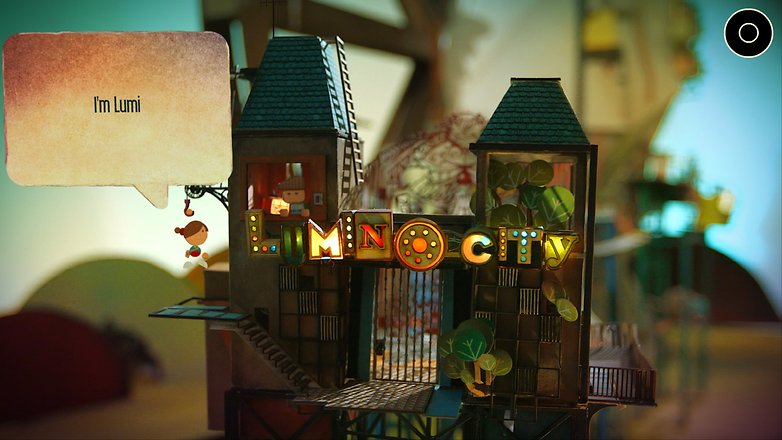
This is mainly due to the rather special graphics. This was not simply created in CGI but was made from cardboard and other building materials by the developers. The locations were then recorded with SLR cameras and transferred into the 3D world. The designers took away depth of field effects. Without question, Lumino City is graphically perfectly successful. And the puzzles are sometimes crisp. The game really comes into its own on a tablet.
${app-air.com.noodlecake.luminocity}Best for couch potatoes: The Witness
At this point an Nvidia-Shield-TV-exclusive title must be mentioned: The Witness. You wake up on an island that's deserted. But the whole area seems to have been inhabited until recently. What's the matter with you? And why are there strange boards of patterns all over the place?
The Witness challenges you with its geometric puzzles, the rules of which you must learn little by little. But the best thing is the graphics: Colorful, the Shield TV console paints the island on the TV, so lively that sometimes you just want to roam around to discover and enjoy the view.
${app-com.nvidia.thekla.witness}Puzzle game for robot fans: Mekorama
Mekorama is very reminiscent of Monument Valley, but it goes its own way. You control a small robot through 50 levels and first have to move a few floor stones, later skillfully move elevators up and down or bring huge wheels into the right positions.
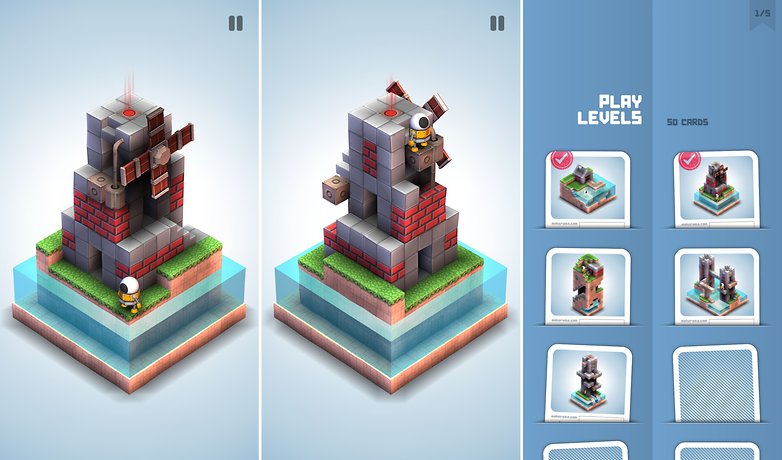
While the individual tasks in the first levels seem to be quite easy, the level of difficulty increases quickly. If you have a Daydream headset, you can download the VR edition of the game.
${app-com.martinmagni.mekorama} ${app-com.martinmagni.mekorama.vr}Puzzle game with mystery elements: The Room: Old Sins
Meanwhile there is the fourth game from the series The Room. And again the developers have put down a hit. The Room: Old Sins takes you to the attic of an old house where you must solve the mystery of the disappearance of a married couple. All traces lead to a dolls house, but that's just the beginning...there's more here than meets the eye.
The Room: Old Sin scores with atmospheric graphics and crisp puzzles that are never unfair. So it puzzles itself on longer flights in offline mode through the The Room universe. The third game brought the possibility to discover further endings after the first run, and this also applies to Old Sins.
Download The Room: Old Sins from the Google Play Store
Puzzle fun for Portal fans: Bridge Constructor Portal
Bridge builders are in demand everywhere, including the questionable research facility of Aperture Laboratories, the company that hosted the PC games Portal and Portal 2. In Bridge Constructor Portal, you build bridges over dangerous acid pools and send test vehicles through (name-giving) portals to lead them to their destination.
Bridge Constructor Portal scores not only with its gameplay, but also with its atmosphere. Because the computer voice GlaDOS advises you anew in every level and has many cynical tips to offer.
${app-com.headupgames.bridgeconstructorportal}Puzzle game for the skilled: The Branch
The puzzle game The Branch requires very fast reflexes and a good spatial understanding. But the puzzle game isn't really that complicated, because it's just a little man walking along a block where the back piece is cut off. In this jigsaw puzzle game for Android, the character then gets in the way of several blocks, which can be cleared by wiping to the left or right to rotate the block. Since the playing speed is very high, it is necessary to react quickly so that the male does not run against an obstacle, gets stuck and finally falls into the depth.
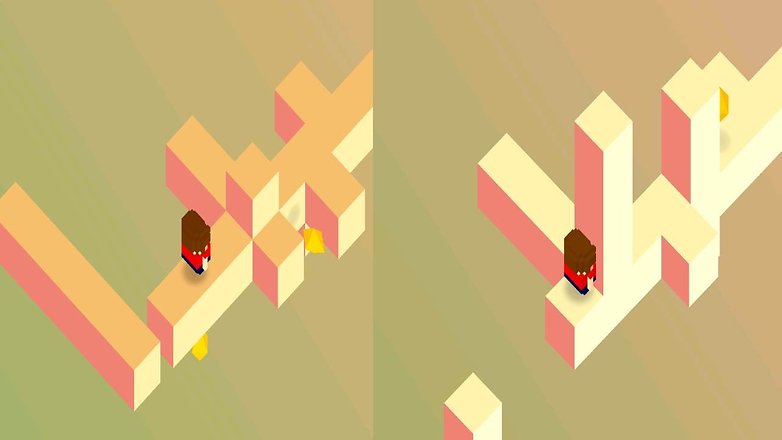
The Branch is a nice jigsaw puzzle game that quickly becomes addictive and always spurs you on to go a little further than your last attempt.
${app-com.ketchapp.thebranch}Abstract Puzzle Game: Super Hexagon
Super Hexagon is perfect for a game session in between, because the game time is relatively short in this puzzle game for Android. That's it: the player leads a small triangle through a labyrinth and has to try to turn it into the right shape. If he toasts, the round is over.
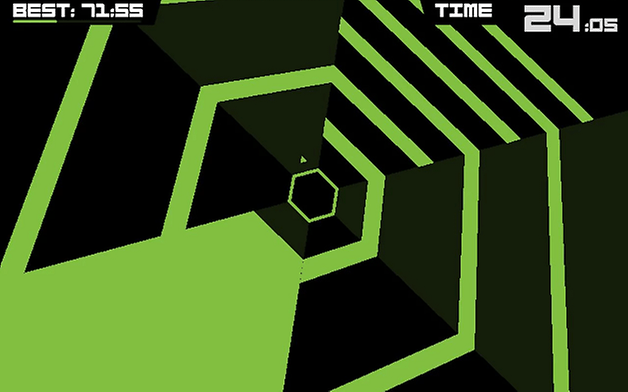
The puzzle game Super Hexagon is without question a very difficult game for Android, which requires fast reflexes and accuracy. It's always fair, though. Thus one will often simply start another attempt, and another, and another, and another...
${app-com.distractionware.superhexagon}Divine Puzzle Game: God of Light
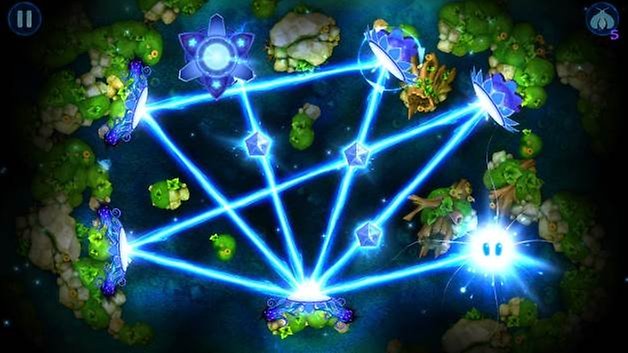
The paid title God of Light brings light into the game in the truest sense of the word. As Lord of Light, it is your task to turn and manipulate light sources so that a beam of light hits several objects. Not only does this look great, it also puts a lot of strain on the little grey cells. Even puzzle pros often have to think around the corner with more than 125 levels, so that a level shines in its full glory.
Puzzle game for point friends: TwoDots
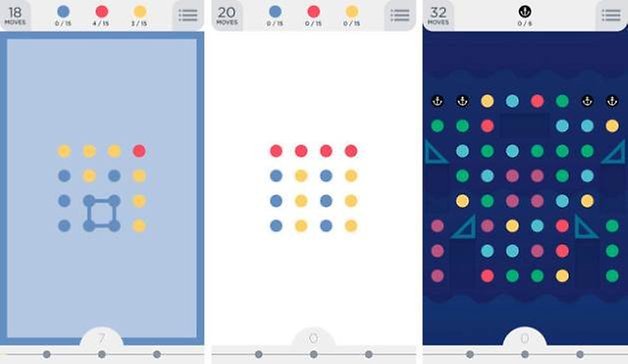
TwoDots is the sequel to the highly successful puzzle game Dots and revolves around two brave points that cross the arctic tundra, fight their way through glowing jungles and dive into the depths of the ocean. Sounds weird, but it is! A total of 135 free levels await the player, which are all about connecting matching points with each other.
Puzzle game for monster feeders: Cut the Rope 2
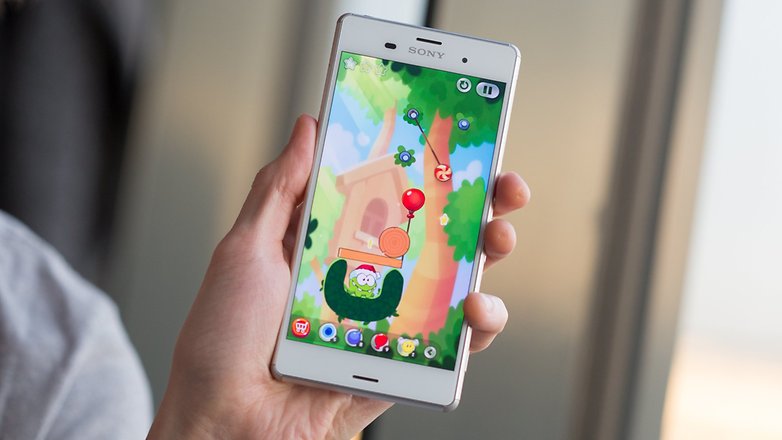
Cut the Rope 2 is a playful puzzler in the vein of Angry Birds. It sees you, yes, cutting ropes with the swipe of a finger in order to deliver sweet treats to a lazy, insatiable frog-like creature called Om Nom.
It starts off easy enough but quickly picks up the pace, introducing new challenges and mini-games to spice things up. Simple and addictive, Cut the Rope 2 is a formidable time-waster.
Cult puzzle with beautiful story: Monument Valley 2
Both Monument Valley earn a place on this list for sound and visual design alone – it feels like interacting with magic. You control the hooded princess Ida, whom you must guide through Escher-like scenes, relying on the use of isometric perspective and manipulation of the architecture to achieve this.
It’s awfully clever and awfully pretty, and its puzzles never becoming frustrating. It's relatively short, but there is a subtle story running through it, which combines with the other elements to elevate Monument Valley above your typical 'tap-here-build-this-wait-five-minutes-and-repeat' Android game. You can pick this one up for $3.99.
${app-com.ustwo.monumentvalley}${app-com.ustwo.monumentvalley2}Best spooky puzzle game: Limbo
Limbo is as unsettling as puzzlers come. It puts you in command of a slightly elastic young boy who has a penchant for dying in awful ways. Your task is to guide him through the netherworld, which apparently consists of increasingly difficult puzzles, as he searches for his sister.
The visual and auditory aesthetic is stunning, if disturbing, and the puzzles become more complicated as you go along. The game never gets too difficult though – it is more of an experience than a challenge. Best played late at night, with the lights out.

Puzzle game for math geeks: Threes!
Do you remember 2048? The almost unsolvable game in which your powers of two add up until 2048? Almost at the same time, the somewhat prettier Threes! appeared, which, thanks to time pressure and beautiful setting, appears somewhat less dry and also has somewhat different rules, but the same principle. The higher the sums you reach, the more points you get. Leaderboards are also offered for bragging rights.
Which puzzle games are very popular with you? Write us your tips in the comments!
What puzzle games have you been playing recently? Tell us about them in the comments below!
















Born To Play Sudoku game - Best mind sizzling puzzle ever. Solving our sudoku on mobile is as good as with a real newspaper. Whether you'd like to pass the time or relax your mind, just play sudoku free puzzle game or daily challange! We are sure it will help you in boost up your day.
The best puzzle games are WHERE'S MY WATER AND CUT THE ROPE version 1 & 2 and LARACROFT GO. I have them.
I also have Chess Pro and Branium Sudoku Pro.
Zen Bulbs or Infinity Loop maybe?
I recommend the new game Flow Water Fountain 3D Puzzle (Android and IOS). The object is to transport the different colored water faucets to the matching fountains. The graphics are great. The puzzles are challenging but not overly so. Give it a try.
if you want to challenge your brain, try Flow Water Fountain 3D Puzzle on Play Store. It is a good new puzzle game with very good graphics and with increasing difficulty.
There is a new and challenging puzzle game called "Color Flow" by One Thumb Games. In this game, you can create and share your own puzzles too. It's free on google play.
I recommend Get Teddy by Guaranapps (Free with some IAP) it's a good new puzzle game with increasing difficulty.
"Hidoku World" a good game for android.
As in many logic puzzles, the basic resolution technique consists of analyzing the possibilities for each number of being present in each cell. When a cell can contain only one number (Naked Single) or when a number has only one possible place (Hidden Single), it can be asserted as belonging to the solution.
I liked cut the rope , here are few others of that kind :
-Where's My Water (Free , Contains ads)
-Bounce N Bang (Free)
-Brain Dots (Free, ads and IAPs)
Thanks for the recommendations!
you are welcome
I recommend Shadows (search "shadows beyazay" on Google Play Store) a 3D block puzzle. Very addictive.
I recommand Smart Ice : a simple puzzle game in which you control an ice cube into a maze.
You should give "Find the red dot" a try. You can find it on google play store. 50 Original levels, the one more challenging then the other!
I like the puzzle game Broken Lines. I am biased, however, since I'm the developer. I wanted to create a puzzle game that became increasingly challenging and had an infinite variety of level designs. The levels are algorithmically generated and are never the same twice. It does become very challenging at the higher levels. I just released it a few days ago and I'm hoping it finds an audience.
if you want to challenge your brain, try Addoku on Play Store
Quell or Algorithm of Destruction!
Try Powertris (Google Play). That's combination of Tetris and Pipemania, that gave new and fresh mechanic.
If you like these games, check out Thwart. It is very challenging and requires planning and logical thinking. Some of the levels, especially the higher ones, might take quite a long time to solve. It also contains some quite complex element arrangements. The game is made up of snippets, of crumbs, different pebbles which turn into rocks to stimulate and keep you engaged.
I really enjoyed reading about all these unique games, some I have heard of some not. I especially love the idea of Limbo and Little Inferno. Those are surely getting space on my phone. I am surprised people don't talk about them often.