ColorNote Notepad


Read in other languages:
Every since I had my first G1 Android phone, I always found the Android notepad apps to be reliable and extremely useful. Someone recently suggested I try out ColorNote Notepad as a good notepad replacement. Find out whether this new app can tell its competitors to take a hike and become an Android must-have in today’s test.
| Reviewed version |
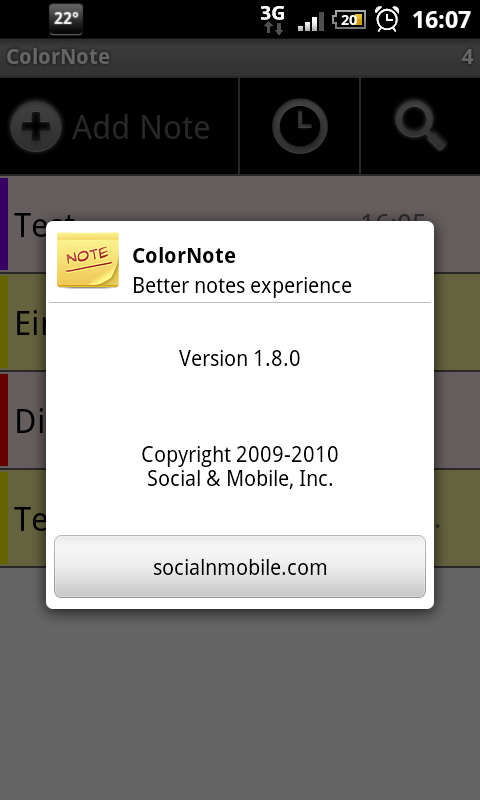
| 1.8.0 |
Features & Use
ColorNote Notepad is a text app with the following features:
- Write notes and checklists
- Categorize your notes with different colors
- Set reminders for your notes
- Protect your notes with a password
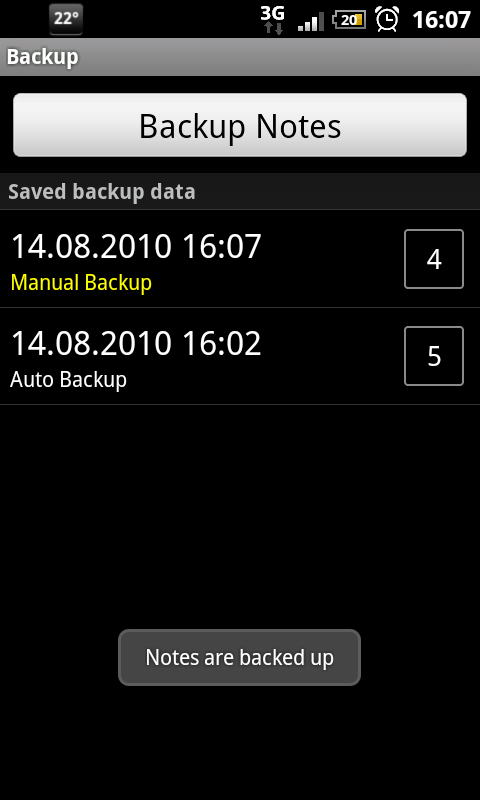
- Backup all your notes
- Place post-it notes on your desktop
- Share notes
- Access ColorNote Notepad from other apps
- Integrate ColorDict with ColorNote
Bottom Line:
ColorNote works well as a basic notepad, but also let’s you organize and manage your notes and to-do lists. Another neat feature is that fact that you can save news from the browser as a note in ColorNote. Since I’m constantly reading through all sort of Android news, I set-up a green category where all relevant Android info gets stored.
Screen & Controls
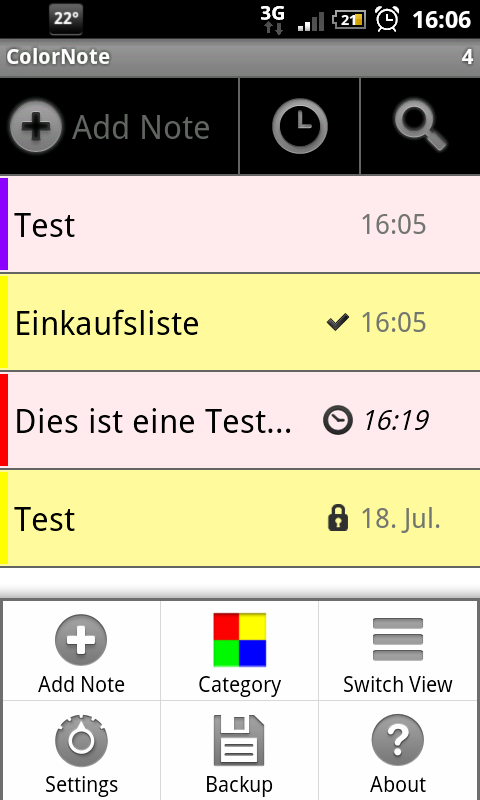
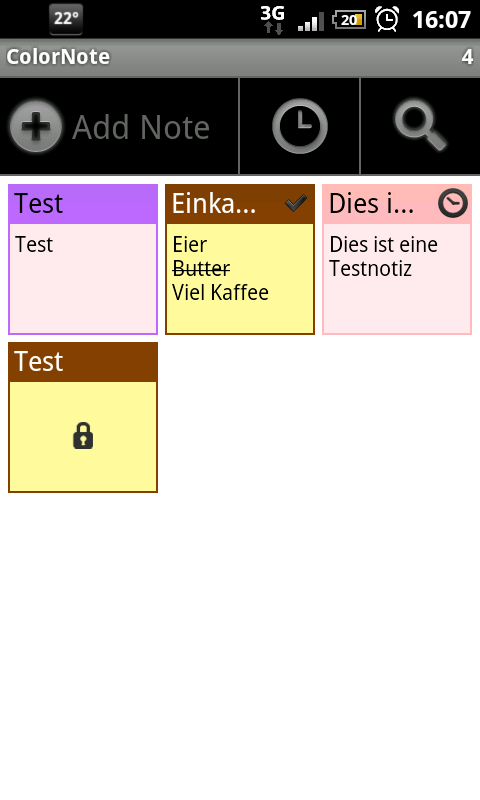
When you start up ColorNote, you can add a note or to-do list by pressing the plus icon at the top of the screen. The button to the right of it changes the way your notes are organized. You can choose to organize:
- Alphabetically
- By color
- By reminder time
- By time
Using the magnifying glass you can search for specific notes in ColorNote.
Pressing the menu-button reveals the following options:
- Add Note
- Category
- Switch View
- Settings
- Backup
- About
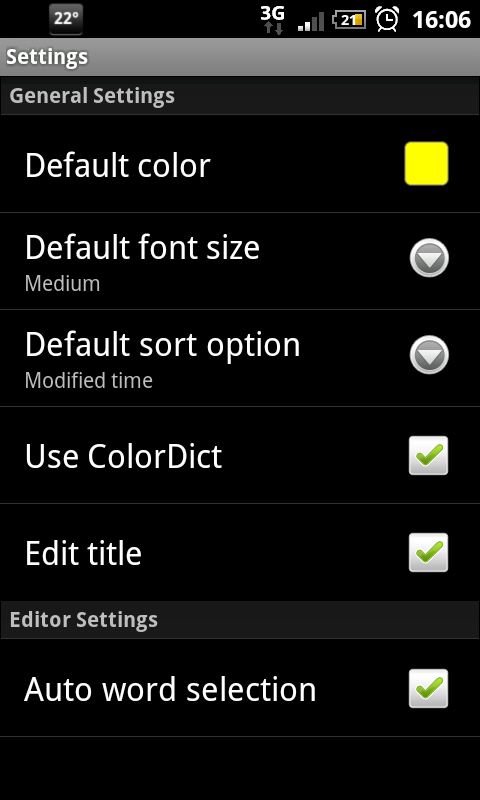
You have the following options in Settings:
- Default color
- Default font size
- Default sort option
- Use ColorDict
- Edit title (the first couple of words of your note automatically become the note’s title when this option turned off)
- Auto word selection (replace words with those suggested by the integrated dictionary)
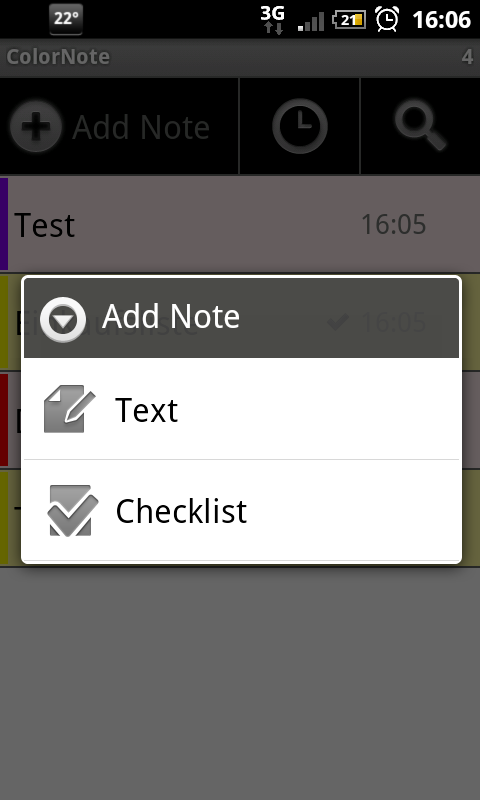
When creating a new note, you have to select between a text and a checklist.
A checklist works well for shopping lists, whereas text can be used for everything else.
At the top of the note you can add a title and select a category color for the note or to-do list. Now you can type in your text or add items to your checklist.
Pressing the menu-button while writing a note gives you these options:
- Color (Select category)
- Lock (Protect with a password, only possible with notes)
- Reminder (Set a reminder time)
- Share (Forward notes to others)
- Discard
Pressing the back button automatically saves your note.
The following options appear when you press the menu-button in a finished note:
- Edit
- Check (mark a task as completed)
- List
- Reminder (change or set up a reminder)
- Share
- Delete
In order to use the dictionary, you must first install ColorDict and then download the dictionaries of your choice. This way you can select individual words in a note by clicking on them. You have to be in edit mode in order to look up words. After selecting a word, it then appears in the search field. Press the magnifying glass in order to look through the dictionary. If you wish to add a note to your homescreen, simply do a long press on the desktop and select the ColorNote widget. Your note then appears as a post-it on your desktop.
Bottom Line:
ColorNote is definitely a notepad with a ton of useful features. It may take a little while to get used to the way ColorNote works, but it should be a breeze once you get the hang of it. After spending some time using ColorNote, I promptly deleted my previous notepad app from my phone.
Speed & Stability
ColorNote ran smoothly and without any issues.
Price/Performance Ratio
ColorNote can be downloaded for free from the Android Market.
Screenshots

















How do you make select text bold without affecting the entire note?
Very good write-up on ColorNote, but with one very old info; and that is its unavailability for desktop. No sirs, it is not correct. You can get ColorNote for Win-10 from Microsoft Store, and have it synchronized with all your other devices having ColorNote in them!
- Sayef
A very sympathetic application!
Definitely on a list somewhere.
Definitly on my list of must haves. Just enough features to be useful not so many as to make it confusing