MyPhoneExplorer


I’ve always wanted to be able to manage my Android phone’s files, contacts and text messages directly from my PC. That’s how I came across MyPhoneExplorer, a PC suite that sets up an interface between your phone and computer. Find out how well this tool actually works in our test report.
| Reviewed version |
| 1.0.4 |
Features & Use
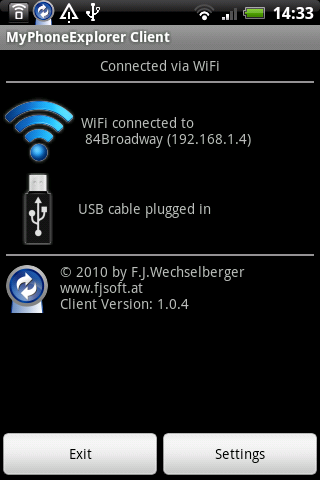
In order to use MyPhoneExplorer, you will have to download the MyPhone Explorer Client as an application as well as the MyPhoneExplorer program to your PC (http://www.fjsoft.at/en/). After installation, you have to start up your client in order to set up a connection via Wi-Fi or USB with your PC. The client runs in the background of your phone on its own. Everything else is controlled from the computer.
As of last week this program now works with Android phones instead of just with Sony Ericsson devices.
With this program you can edit your contacts as well as send texts and emails remotely from your computer. You can double-check whether any message has been received by your contact.
This program also let’s you see your latest incoming and outgoing calls. Using the program you can call these numbers, write texts/emails, search for numbers and addresses in your phonebook, add new numbers to contacts or export your contacts. This feature is particularly useful should you happen to lose your phone since it saves all your contacts a .csv file, which can be imported onto a new phone at any point.
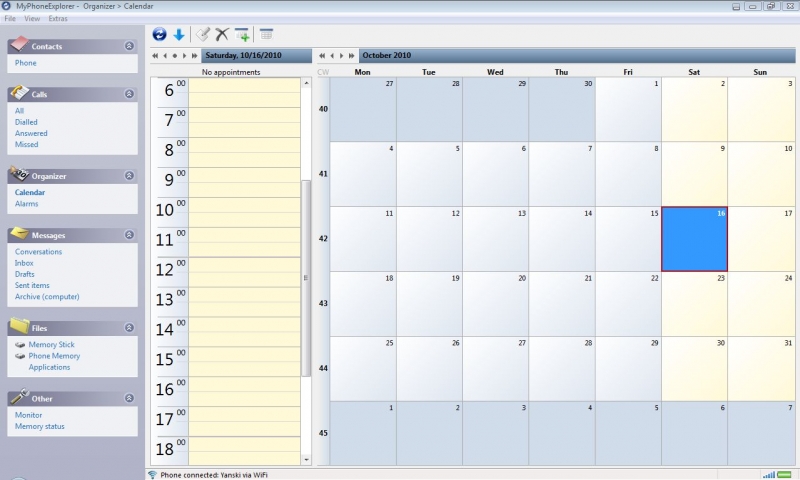
With the help of the integrated calendar, you have the option of managing and editing your appointments on your PC. New entries are automatically synchronized with your phone and can be edited later on the go directly from your device. Already existing appointments get transferred from the phone to PC at the start-up of the client so that the program is always up-to-date. Here you also have the option of importing or exporting just in case.
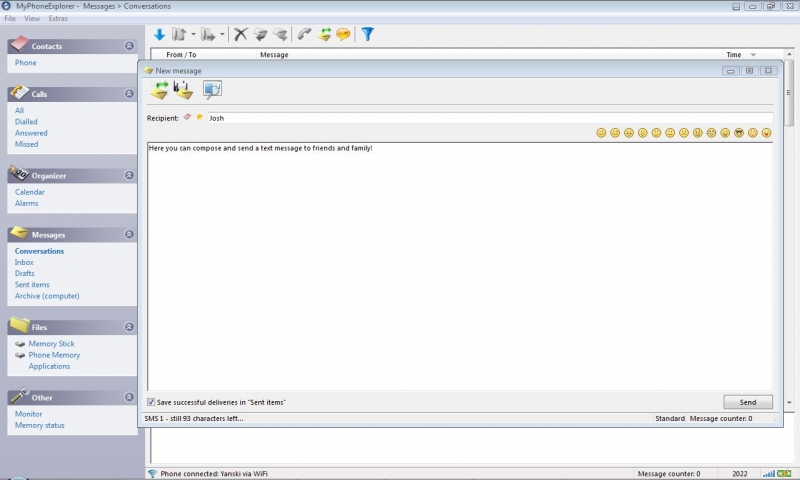
Since we’re talking about a PC suite today, it is important to mention the messages section. This program enables you to manage your text message inbox and outbox. You can even compose new text messages using the program and send them to your friends and family.
With the built-in file manager, you have an overview of all the files on your device and SD card. With the click of mouse you can transfer all your photos to your PC. 66MB worth of photos took me 50 seconds to transfer to a folder on my desktop.
You also have the option of moving entire folders from your memory to your PC as well as upload new files from your computer to your phone. In Phone Memory you can see what files are on your phone, but be careful because with one wrong click you could accidentally delete an important system file.
Deleting apps from your phone using the program is a bit inconvenient, but you have the neat option of downloading an app from your phone to your PC.
If you don’t know how much space is left in your memory, the program let’s you know how much memory you’ve used up on your phone and SD card.
All in all, the program makes things a lot simpler for the user. Obviously, you can get all of the same things done with your phone, but this PC suite is easier and more efficient to use than your own device. I believe that people should backup their phones at least once a week. Thankfully, MyPhoneExplorer makes backing up your phone child’s play.
Screen & Controls
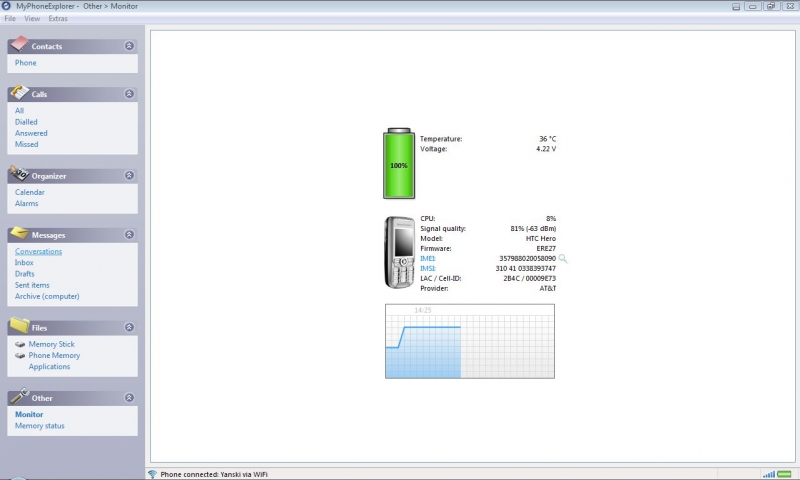
Since the Android app runs in the background, it doesn’t use a lot of memory space. The program’s PC interface is really clear and compact – all settings are within easy reach.
The new updated 1.8 version of the app was magnificently developed by Franz Josef Wechselberger. Most of the ratings on the market are extremely positive, which speaks to how great the program really is
Speed & Stability
The client loads quickly and it takes just a couple of seconds for the phone to connect with the PC. Synchronization is fast, but I wish there was a notification in my status bar that would let me know how much synch time is left.
Price/Performance Ratio
This application i.e. client can be downloaded for free from the Android Market.
Screenshots















Awsome work (version 1.8.15)! The functionality is very good. It would be nice with a better GUI, at least use modern icons. If it was open source i would like it even more. No malware according to Malwarebyte and LibreAV (2021-04-01).
Do you often review software packed with viruses so highly? This program, downloaded from the developers website, installed 6 other programs, all malicious, without asking for permission. My anti malware grabbed them easily enough, but regardless.
When syncing data with Outlook, as well as losing address fields if they are not one string in one 'address' field, it also doesn't cope with blank names, i.e. where contact is a company not a person and there is not first name, last name. So has not synced all my post codes, the most important bit of info on a mobile device.
Made a complete mess that I did not notice immediately and now have to try to clear up manually. I found that syncing also becomes a nightmare, not sure why or if it's something I did, but the number of entries that have to be manually accepted/rejected when syncing both ways is a pain. I also found that a lot of the compares were for totally different records - probably something to do with that blank first name field in Outlook so MPE gets out of sync when it's meant to be syncing!
Have also found that it repeatedly creates duplicate calendar events for birthdays added in outlook. Sync again and it creates another one!
All in all, not the solution to a synced contact record in Outlook and on my phone that I was looking for.
It would be good if there was prominent alerts that advised on the need to have outlook data in certain fields before syncing. And about the address in one field issue. That's not how Outlook does it.
awsome guys!!! There simply isn't a fantastic app on the market that gets even close to what you've created. Thanks for not holding back with the multitude of so well functioning features too.
If you have multiple, for example mobile, phone numbers in one contact, program will sync only first one.
i agree with david, but i wish the app included a screen shot features. it would be a great and much needed addition
Have been trying this out and so far it seems to be pretty stable and very user friendly, there are some issues with the HTC Desire android 2.2 that may need some work on in the future but overall I think it is the best "phone explorer" so far.