Best email apps for Android & iOS: Inbox like a boss

Read in other languages:
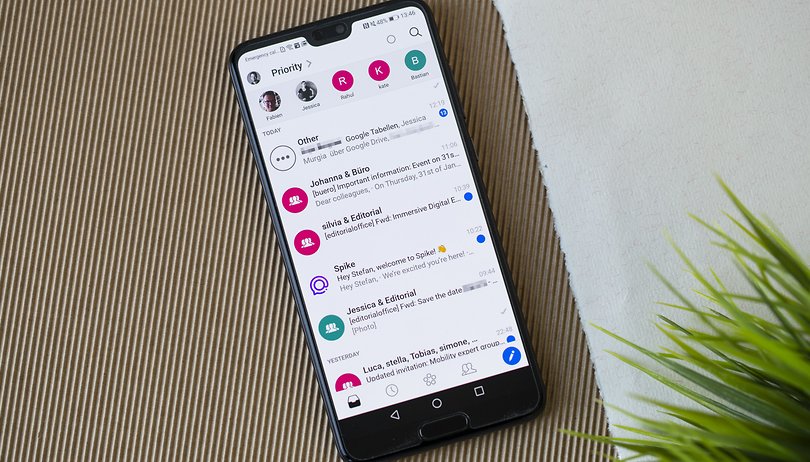
The pre-loaded email apps from Android and iOS happen to run well by themselves. However, numerous alternatives await you in the Google Play Store and Apple's App Store. Below are some of the best mail applications available that should offer additional convenience and better data protection.
If you set up your new Android smartphone or iPhone, you will be asked for an email address that you would like to have associated with the smartphone. This is also a rather practical move because you can browse through your inbox directly via pre-loaded applications such as Apple Mail or Gmail in the first place. However, there are also many alternatives!
This is because sending e-mails on a smartphone basically relies on the same principles as those found on a PC. So if you know your way around words like "Pop3 server" or "IMAP", then you are good to go. Thanks to these standardized protocols, you can also use your Google or Apple email addresses in many other email apps. A world of practical functions awaits you!
Jump to
NextPit's app central
Email apps for Android
Do you already have an email service that caught your eye? Then head directly to the short description via the following links!
Mail apps for Android
Gmail
Gmail comes pre-installed on Android smartphones, replacing the default mail app in Android some time back. During the course of doing so, e-mail addresses from third-party providers such as Outlook, Yahoo, GMX, or your local email service providers can also be configured accordingly. These accounts are then displayed either separately or in a unified mailbox under All Inboxes.
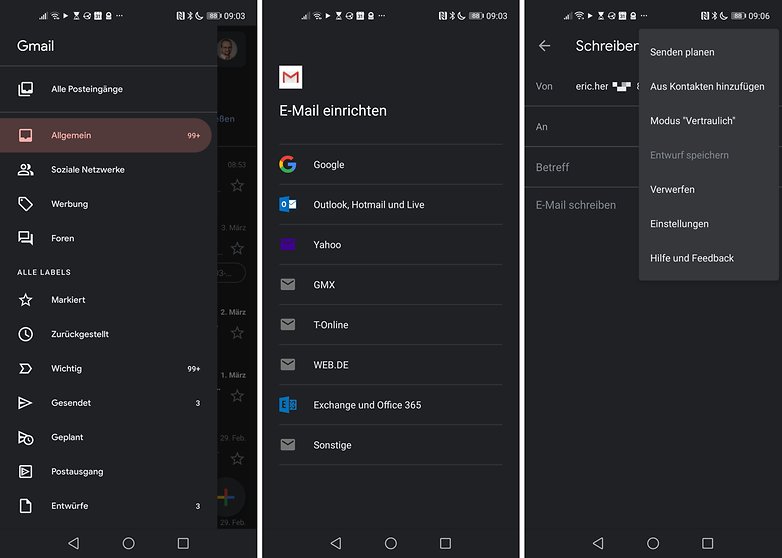
Gmail is free, but Google's AI reads your emails and suggests spam, filter, and reply options accordingly. There are also occasional ads disguised as emails; which are similar to the first two ads in Google search results.
The Gmail app is easy to use and offers a slew of useful features. You can undo the sending of e-mails (within a short time frame), schedule the sending time, and define swiping gestures in the overview. The Google integration intelligently connects contacts and calendars, so that you can send invitations without having to go through the calendar in the e-mail app. When searching, the Gmail app uses the index on the Google server instead of slowly searching the offline database - including for keywords within emails and PDF attachments.
- Download Gmail from the Google Play Store
ProtonMail
ProtonMail is an open-source secure email provider based in Switzerland, a country known for its strict privacy laws. This is where the ProtonMail servers are located. The project was launched at CERN in 2013 and has grown rapidly ever since, no doubt due to its mission to provide a safer and private internet for everyone. Therefore, you can always create an account and use the service for free. There are premium plans that also offer more features, but the free version is sufficient for most users.
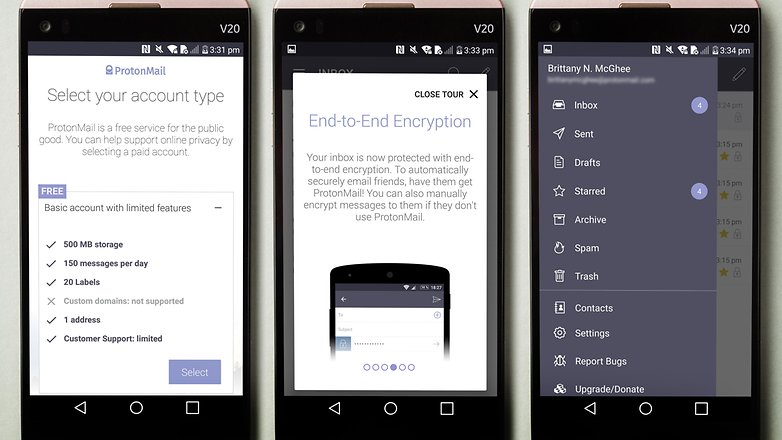
The service offers end-to-end encryption of your messages, even if the recipient doesn't have the app. In this case, you can secure the message using a password. Another nice security feature is the ability for you to set your emails to automatically "self-destruct" or delete themselves after a specified number of hours or days.
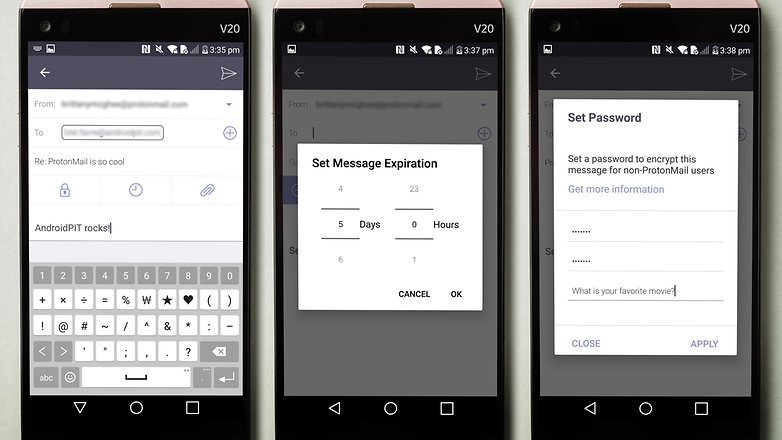
The inbox design is very modern and intuitive, so you won't have any problems with the user experience. Also, it has an elegant look with a light purple scheme that is very appealing to the eyes. You can use ProtonMail in your computer's browser or in the iOS and Android applications.
- Download ProtonMail from the Google Play Store
Aqua Mail
The freemium app known as Aqua Mail allows only one email account in the free version. If you pay the annual $19.99 subscription fee, there will be no more irritating advertisements in addition to the ability to manage all your accounts within this app. Aqua Mail allows private backups of e-mails and settings and has one advantage over Gmail: the application does not read your e-mails.
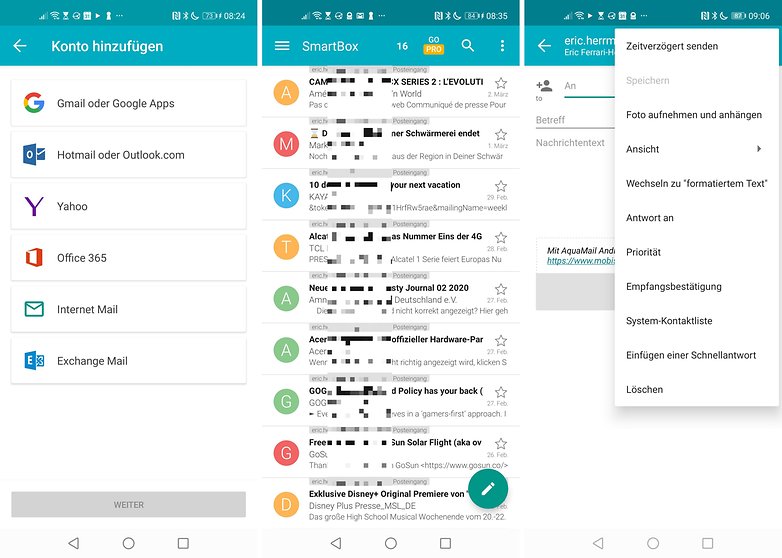
In addition, AquaMail is based on Apple Mail when it comes to its user interface. So if you've used an iPhone before, you will most probably dive right in without any steep learning curve. You can select all e-mails on a page by swiping on the sender icon, swipe left or right when reading an e-mail to jump to the next e-mail, or define swipe gestures in the overview. Images in emails are not automatically loaded (courtesy of its privacy controls) and links open in an in-app browser.
- Download AquaMail from the Google Play Store
BlueMail
The completely free email app, BlueMail, turns emails into tasks. You can choose to be notified about them again later or mark them as "completed". You can also use a switch to filter the inbox for e-mails from address book contacts. This creates an overview in the mail app at the push of a button.
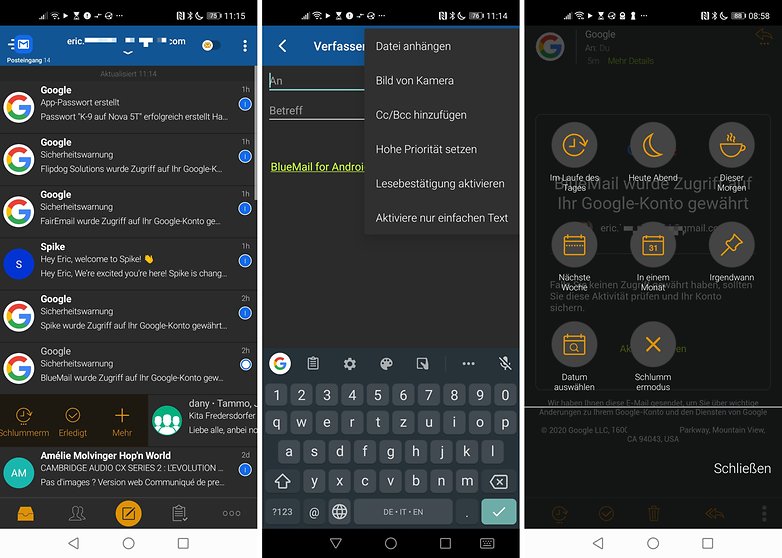
The actual writing of emails is not difficult at all, either. BlueMail's email editor is rather minimalistic. There are no encryption options to boot. BlueMail was primarily designed to manage multiple inboxes in parallel via the vertical tabs on the left edge. However, this feature was not part of the trial.
- Download BlueMail via the Google Play Store
FairEmail
Completely open-source and rather lightweight but still armed with a wide variety of functions, FairEmail ticks most of the right boxes. The FairEmail app is available in the Play Store and in the "F-Droid" APK directory. The highlight? FairEmail can be linked to a PGP service provider. You can send fully encrypted e-mails, but S/MIME encryption is only available for cash.
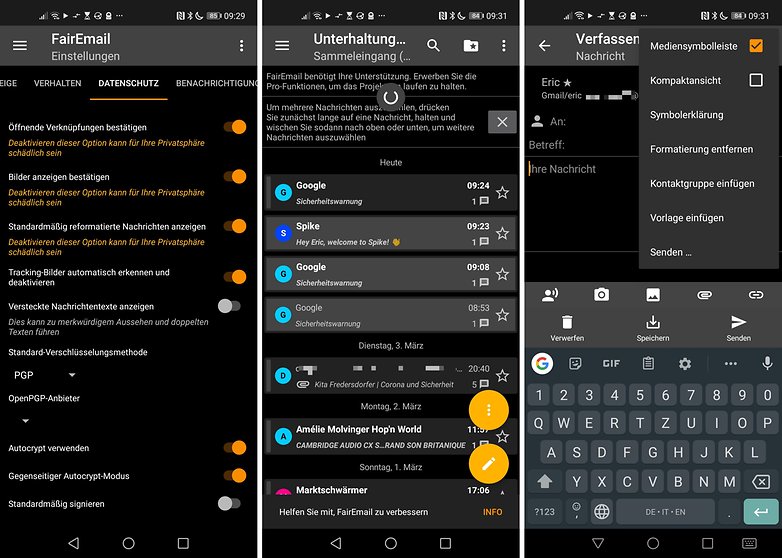
As an in-app purchase or after a donation, you will receive additional functions such as color codes for your accounts, notification channels (folder, account or sender-based), a snooze button for emails, delayed sending, reply templates, Filter, an online search index, keywords, S/MIME encryption and a practical widget for your home screen. So if you were to shell out several dollars in one go, this app can do significantly more than Gmail and also performs significantly better in terms of data protection and privacy.
- Downlaod FairEmail on the Google Play Store or F-Droid
Nine
After the two-week trial period, the fee-based mail app Nine costs a one-time fee of $14.99. I was able to navigate through this app with ease among the rest. If you press the delete button in an email, will you jump straight to the next one. A totally empty inbox can be easily achieved in this manner.
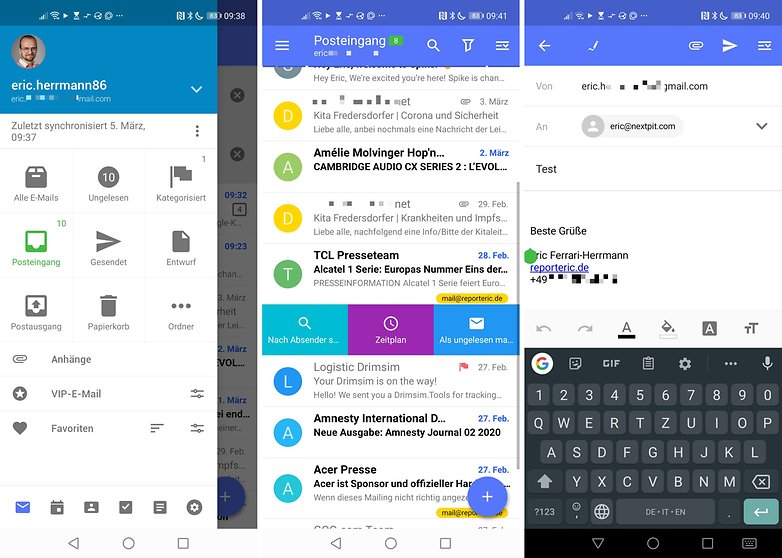
I also particularly liked the variety of swipe gestures in the inbox and the editor of Nine. There are numerous notification channels to boot. This allows you to let the smartphone vibrate until you read the email in a specific folder.
Another unique selling point is that Nine is the only email app that integrates a calendar which will synchronise with the built-in Google or Microsoft accounts. Unfortunately, CalDAV and CardDAV are still missing.
- Download Nine for Android on the Google Play Store
Spike
Spike's functional structure is well known, and anyone who has used WhatsApp, Slack, Skype or any other popular instant messenger will immediately feel right at home. However, Spike isn't meant for texting and instant messaging, it's for email. Basically, Spike brings all the convenience of instant messaging services like WhatsApp to your email threads. Gone are the bulky subject lines, the unwieldy threads, and all the rest of the email stuff that feels outdated in 2021.
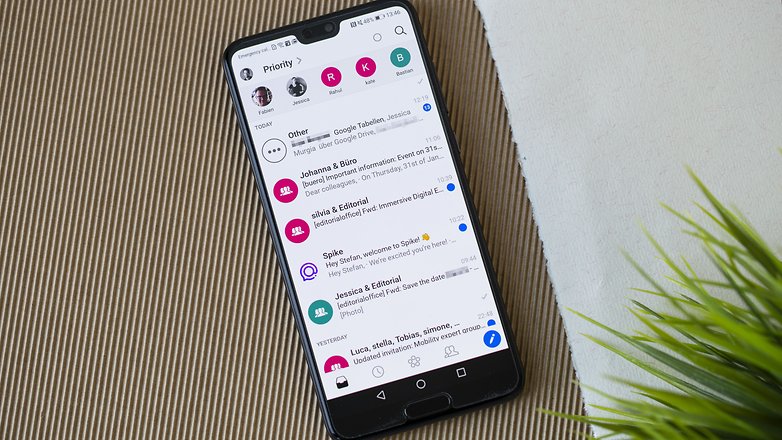
It also doesn't matter if you use Spike and the receiver doesn't. The person you reply to will still receive a normal email, as if you sent it to them via Gmail or something similar. Spike is available for Android, iOS, Mac and PC. You don't need a separate account, just log in with your email account and password and you're ready to send emails the same way you send WhatsApp messages - it's super easy!
- Download Spike from the Google Play Store
Outlook
Microsoft is working hard to improve its email business (and its mobile apps across the board), and Outlook is further proof of that. It looks seamless, has all the features you'd probably need, and can sort incoming messages across several categories.
OneDrive and the Outlook calendar have been integrated, so it's perfect for Microsoft users (although other accounts are also supported). A tab displays the most important emails first, with quick filter options to help you sift through large numbers of messages easily.
- Download Outlook from the Google Play Store
Yahoo Mail
Yahoo Mail is still one of the most popular email management applications and allows you not only to read and send emails but also to have a look at the latest news at the same time. Like Gmail, the Yahoo app also lets you manage various email accounts, including Outlook and Google accounts.
The interface is particularly intuitive: you can use the sidebar to easily access the various folders or configure the account according to your preferences in the settings. In the settings, you can also determine which action should be assigned to the sideways swipe over an e-mail message, i.e. marking it as read or deleting it directly. But beware of the very first mail that appears in your inbox because it is a Yahoo ad.
- Download Yahoo Mail on Google Play Store and Apple App Store
10 Minute Mail
A really interesting thing if you have to enter your e-mail address on the web often: Here is the "10 Minute Mail" application to the rescue! Here, you can set up any number of email addresses, each which is only valid for 10 minutes. That's just the right amount of time to sign up somewhere and respond to the email confirmation. However, you cannot record your standard address in this free version.
For this, you will need the premium version, which is available for $7.99 per month. Alternatively, you can subscribe at a lower price of $19.99 per quarter. The premium version also gives you an ad-free experience, controlling the expiry of your temporary email addresses, and many other functions. All in all, 10 Minute Mail is a very good alternative to not giving everyone your email address on Android.
- Download the 10 minute Mail on Google Play Store
E-Mail-Apps for Apple iOS
With Apple iOS you already have a powerful e-mail application pre-loaded with "Mail". However, since some iOS versions, alternative standard applications can also be defined on iPhones and iPads, which means that you can now also make use of alternatives. Here's a list of featured apps:
Mail-Apps für iOS
Gmail
Of course, there must be a Gmail application for your iPhone and iPad! This is especially worthwhile if you have a Gmail address and are looking for a convenient application with a connection to the rest of the Google ecosystem. You don't end up with a diluted copy of an Android app, but a full-fledged alternative.
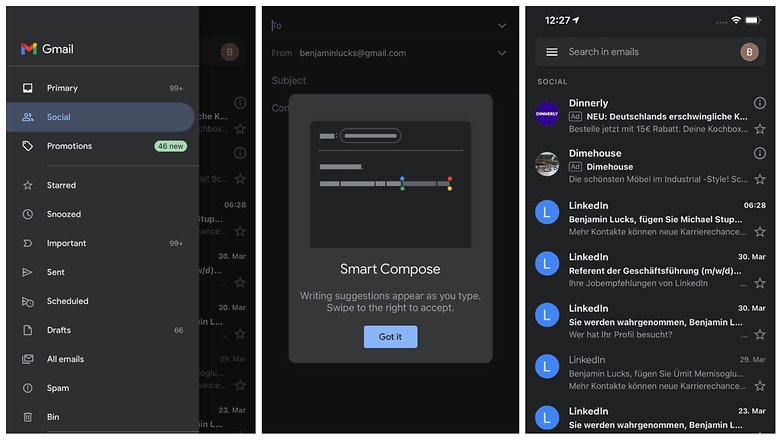
In terms of design and user-friendliness, there are those who prefer the Gmail app on iOS compared to the pre-installed version on Android. You will not find any hidden costs or advertising on either Android or your iPhone. If you find the app nice and clear to use, you can also set up other e-mail addresses there.
- Download Gmail for Apple iOS from Apple App Store
Spark
On the Internet, the iOS application "Spark" receives a lot of praise when it comes to mail apps. This is mainly due to the user-friendliness and the provision of a built-in calendar and a widget. You can simply place your inbox on the home screen of your iPhone. If you also use your iPhone professionally, Spark also has another interesting function:
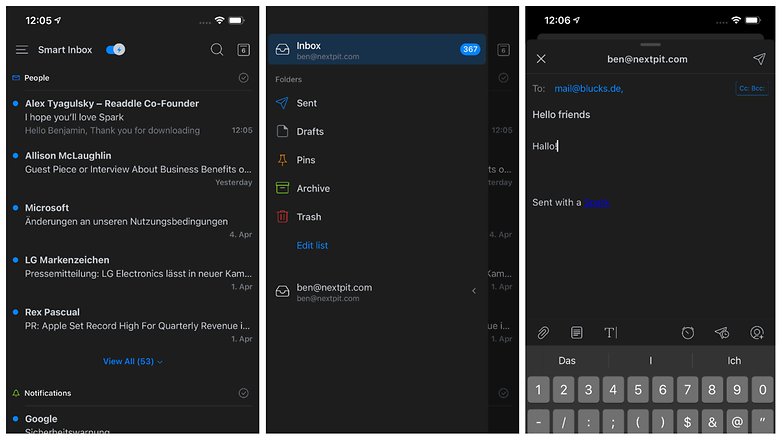
Because this app lets you can collaborate with others on e-mails before you send them off. For example, you can let your boss look at the first draft of an email to a customer. Other additional functions are a snooze button for e-mails, a chic dark mode and the scheduling of e-mails.
- Download Spark for Apple iOS from the Apple App Store
Proton Mail
Although iPhones and iPads are inherently considered to be quite privacy-friendly, with the ProtonMail app you can now also secure your entire e-mail traffic. As you might have guessed from the name, the email service is operated by the same provider as ProtonVPN! This makes them data protection professionals of sorts.
The idea behind Proton Mail was to create an NSA secure email provider. The company from Switzerland encrypts every outgoing e-mail and stores your data exclusively on encrypted servers in Switzerland. A cool feature: you can set an expiry date for your emails, which will automatically delete them after a certain amount of time. All such information is available on the Proton Mail homepage.
- Download ProtonMail for Apple iOS from the Apple App Store
Outlook
If you use Microsoft's Office products, Outlook might be something for you! The provider has been providing a full-fledged iOS app for some time, which looks pretty nice with its blue and white design. Of course, the high-quality Outlook filters for your inbox are also part of the deal.
If you don't use a Microsoft client for your emails, you can also set up additional addresses in the app. Of course, it is particularly worthwhile if you also use applications such as Microsoft Office 365 or fill the Microsoft calendar with appointments. Outlook is completely free and does not come with any ads.
- Download Outlook for Apple iOS from the Apple App Store
Temp Mail
Temp Mail application is a good alternative to 10 Minute Mail on Android! "Temp" of course stands for temporary and here, you can easily create disposable e-mails to register for online services or other services. If you are looking for such an app, you should take a look at the iOS function "Sign in with Apple".
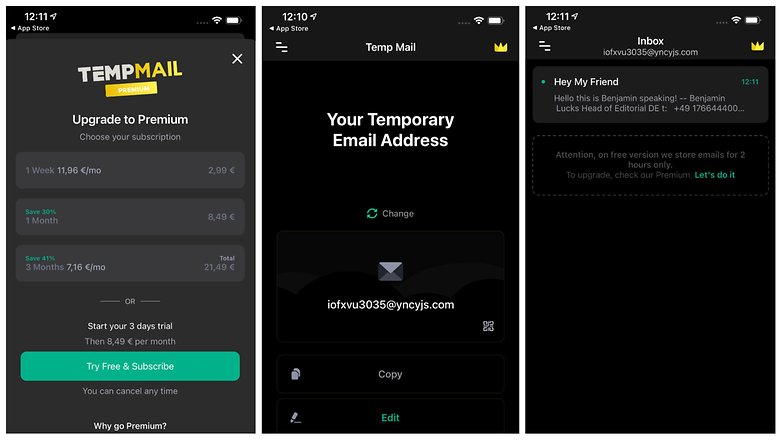
As there already is a feature integrated into the operating system, you can use that to keep your actual email address secret. Instead of your Apple e-mail address, a dummy e-mail is then automatically generated when you log in and saved to your keychain. The advantage: when you log in again on your iPhone, the fake address is automatically typed out.
- Download Tempmail for Apple iOS from the Apple App Store
However, e-mail apps are a contentious issue for both Android and Apple iOS users. So in order to achieve perfection in our comments section, why not argue about the pros and cons of your favorite email apps? Do you have any other tips that you think we should add to this list?
This article was completely rewritten in January 2022 and supplemented with apps for iOS. Comments prior to the article update were maintained.










I think this is a poorly thought out premise. There is a mismatch between apps, providers, and secure systems. While there is overlap here, these are not the same thing, not the same service, perhaps not an app.
gmail is both an app and a provider and a generalized app. But you can't use it as just an app without having a gmail account. And you can't use the generalized mail functions with other providers without having that account. I routinely use other apps to access my gmail without using gmail as an app.
Proton is a secure service provider. You must have an account of theirs, but it doesn't generalize like gmail to support other accounts nor can you access the messages with a third party. What's special about proton is the service, not the app. whether you like the app is immaterial if you need what their service provides. I can only access my Proton messages in the Proton app, but what I value about it are the features of the service, not the app.
I use k-9 mail as my general mail app. I have no k-9 mail account, nor is one possible. It's a front end to POP/IMAP mail services and accounts. I like it because it supports text only messages. This means I can deny the display and operation of HTML email and all the tracking garbage and read receipts.
While you could compare the gmail and k-9 app in areas they overlap, they have rather different premises and uses since gmail account is the key to the Android environment itself. I access my gmail via k9 to cut out some of google's tracking.
You should run reviews on apps separate from services and providers
I am currently using Outlook for professional emails & Gmail for personal.
Like the outlook app better because of the customizations available. It also syncs between the mobile app & outlook email client on my desktop. Not just the emails but the calender & tasks too. Not a big fan of focus inbox & their idea of clubbing email & calender in one app. Also the new shortcut design is really bad. Tried Protonmail but it allowed only a single email for free version.
David Sir Thank you for the great article.
I am currently using two email apps on my Stock Android smartphone - Nine mail and Aqua mail Pro. Both of them are very nice. Using them I manage my Gmail account for banking and other official purposes due to Google's security, and Outlook mail for general communication, subscriptions and newsletters (like Android Pit 😁). Both the apps are value for money, fairly light on resources and provide a very good user experience.
You need to check out Spike email
With Google shutting down Inbox this March, what is another similar app that I can use. I really liked the tabbed functionality of Inbox and Gmail doesn't have it.
You should try out Spike
What about nine?
I use Microsoft Outlook Email app for Android and it suits me. Tried aquamail paid version but didn't find it as good as Outlook Email app.
I've had pretty good luck with BlueMail. Use to use K9, but started having problems with it a couple years ago of not refreshing like it should.
gmail and inbox are parental apps for gmail so no other apps cant work like these to do.
How in the world can you leave out K-9 Mail?!?!
K9 is the best aggregated mail tool for the general consumer. Keeps the Google or microsoft systems from sniffing all your other mail account content.
I've used Aqua Mail for years. I've test driven lots of others, most of the ones above, BlueMail, etc., and I keep going back. I have the paid version and have yet to find another that has so many features: rich text signatures, ability to start app showing only unread combined inbox, ability to set up sync only on WiFi, great design that makes it easy to see, in combined inbox, which account a message is for (take note, GMail). Aqua has a handy unread count 1x1 widget for those launchers that don't support unread counts, and it has great support: rapid response to issues, frequent updates, beta testing, etc. For my money, it's unsurpassed.
Signature content and pixel gifs is one reason I only use raw text email without read receipts. No HTML email for me.
Email is a pretty "meh" thing, and I keep it simple. I do use a Gmail account and Inbox app for email newsletters and Google services, but have always kept "real me" communications with social and commercial contacts away from Snoople. My ISP recently dropped Microsoft and implemented its own email service - the only app that immediately recognized and added it without a lot of under the hood set up was BlueMail, which also has a pretty nice, configurable interface showing the folders for saved mail.
Update 18-11-06: for over a decade I've kept Yahoo for some online commerce accounts, mainly to avoid the bother of rerouting them and then finding a way to deal with years of saved folders. Since the "Oath" acquisition it's become a spam bucket, and "new" Yahoo even specially protects some really persistent pet advertisers (e.g. Wayfair) from being designated as "Spam" - the best you can do is create custom filters to send them to Trash, never blocked Spam. I may finally spend the hours it will take to dump Yahoo. I'd appreciate an article on how to change email services, including what to do with folders of saved emails.
Have you tried using BlueMail for your Yahoo account? When I set up BlueMail for my earthlink.net account and my gmail account it automagically imported the saved folders. It does an awesome job of filtering spam for both earthlink and gmail. Might work for yahoo too. I don't use yahoo so I can't say how BlueMail works with that. Good luck.
Thanks, BlueMail works very well with Yahoo's service - I use it to aggregate my ISP email with the above legacy Yahoo account, and it displays all the Yahoo folders, but they remain "with Yahoo". (I keep Gmail separate for the reasons given.) My problem would be terminating the old Yahoo account altogether, and where would those accumulated folders of saved mail on Yahoo / Oath / Verizon servers go?
easy to earn point
by gmail
I love Inbox by Gmail ❤